

Transfer Shares From One Demat Account to Another: 3 Ways
Quick answer
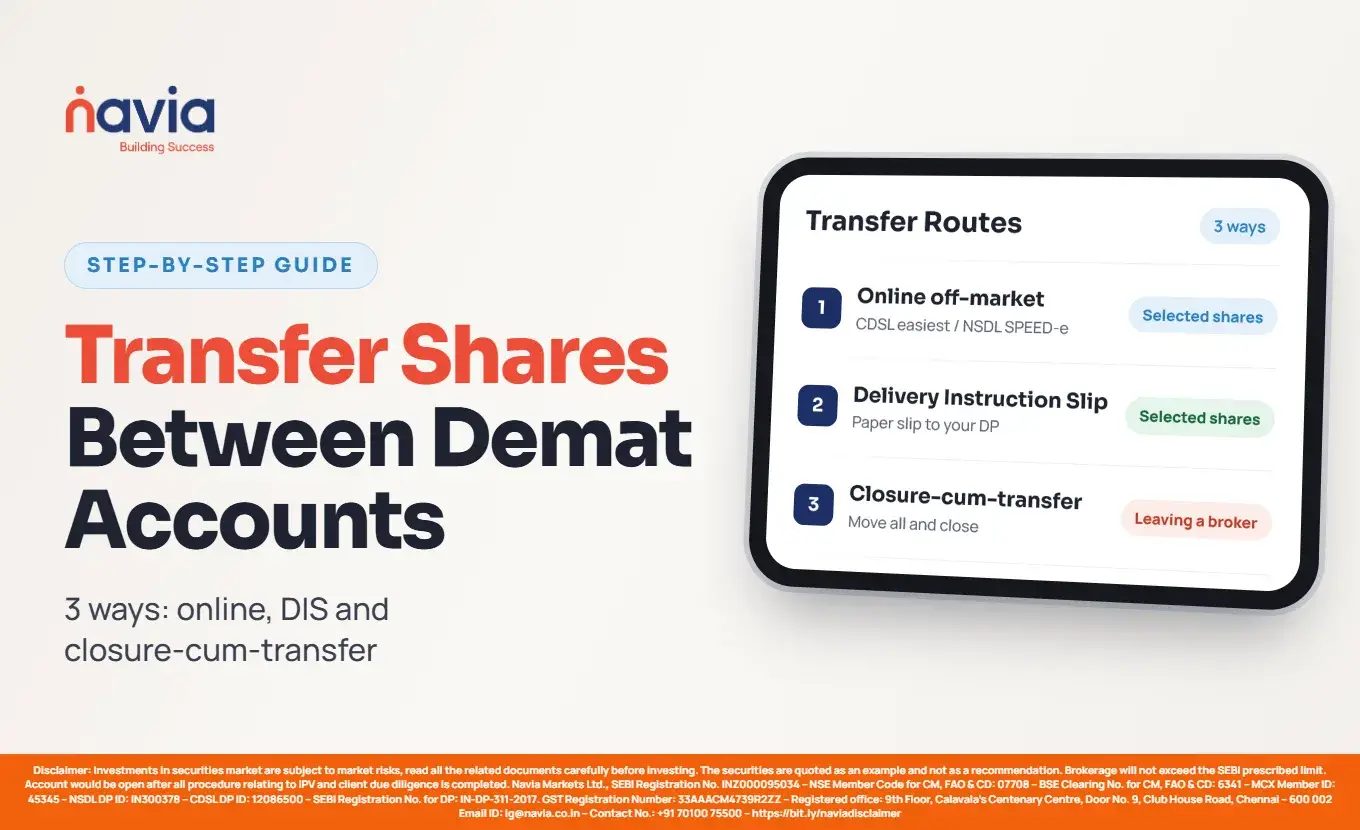
You can move shares between demat accounts in three ways. An online off-market transfer through CDSL easiest or NSDL SPEED-e moves the holdings you select and needs no paperwork once you are registered. A physical Delivery Instruction Slip does the same job on paper, submitted to your depository participant. A closure-cum-transfer moves every eligible holding and closes the old account in one step, which is generally the route to use when you are leaving a broker for good. A transfer between two accounts held in your own name does not change who owns the shares, so it is not a sale.
Key takeaways
What does transferring shares between demat accounts actually mean?
Shares you own sit in a demat account held with a depository participant, and that account is registered with one of India’s two depositories — CDSL or NSDL. Transferring shares means instructing your depository participant to debit specific holdings from one account and credit them to another. Nothing is bought or sold on an exchange. The shares simply move, identified by their ISIN, the unique code every security carries.
What is the difference between moving shares and moving your whole account?
These are two different requests, and asking for the wrong one is the most common reason a transfer stalls.
Moving shares means picking specific holdings and sending them to another account. Your original account stays open. To transfer a demat account — the phrase people generally use for changing brokers — means moving the holdings and closing the old account, which depository participants handle as a single combined request called a closure-cum-transfer. If you intend to stop using the old broker entirely, ask for that one. Transferring shares out first and closing afterwards is slower and may cost you more.

Which three routes can you use?
| Route | What it does | Needs | Typically used when |
|---|---|---|---|
| Online off-market transfer (CDSL easiest / NSDL SPEED-e) | Moves selected holdings; old account stays open | One-time registration with the depository; your DP must offer the facility | Consolidating accounts, moving a few stocks |
| Physical Delivery Instruction Slip (DIS) | Moves selected holdings; old account stays open | A DIS booklet from your DP, signed by all holders | No online facility registered, or joint accounts |
| Closure-cum-transfer | Moves all eligible holdings and closes the old account | Account closure form, Client Master Report of the receiving account where applicable | Leaving a broker for good |
How do you transfer shares using CDSL easiest?
Online · CDSL
CDSL’s easiest facility — electronic access to securities information and execution of secured transactions — lets you submit off-market, on-market, inter-depository and early pay-in debit instructions yourself, instead of handing a slip to your depository participant. CDSL offers it in two modes, and the mode decides where you can send shares: trusted-account mode permits transfers to up to four CDSL demat accounts you pre-notify, while account-of-choice mode permits transfers to any other demat account. Registration begins on the CDSL website and is completed through your depository participant, which must have subscribed to the facility. Check CDSL’s current registration instructions before you begin, as the steps differ by access mode.
How do you transfer shares using NSDL SPEED-e?
Online · NSDL
SPEED-e is NSDL’s equivalent, launched in September 2001 and available at eservices.nsdl.com. Account holders whose depository participant has subscribed to it can submit delivery instructions online rather than on paper, and track the execution status of each instruction. Access comes in two forms, and the difference decides where you can send shares: password-based users can transfer only to pre-notified clearing member accounts, while e-token users can transfer to any account they choose, including off-market transfers. Check which access type you hold before planning a transfer, and confirm the current requirements on NSDL’s site. Navia account holders can follow our step-by-step SPEED-e guide.
How does a physical Delivery Instruction Slip work?
Paper
A DIS is the paper instruction to debit your account, issued as a booklet by your depository participant. For each holding you want to move, you enter the ISIN, the quantity, and the DP ID and Client ID of the receiving account, then state the reason for the transfer. You also tick the correct transaction type: off-market if both accounts sit with the same depository, inter-depository if the shares are moving between CDSL and NSDL. Every account holder must sign. Submit it to your existing depository participant, who processes the debit.

What does it cost to transfer shares out of a demat account?
Transfer charges fall on the account sending the shares, not the one receiving them. That matters when you are moving between brokers: your existing broker’s tariff applies to the transfer out, and you should check their current schedule before you start, because rates and minimums vary between depository participants.
At Navia, off-market credits, inter-depository receipts and market buying receipts are all charged at nil — shares arriving into a Navia demat account cost you nothing on the Navia side.
For shares moving out of a Navia demat account, Navia’s published tariff charges off-market and inter-depository debits on value with a minimum, and the route changes the figure. An online instruction submitted through SPEED-e is charged at 0.05% of transaction value, subject to a minimum of ₹50 per transaction. The same instruction on a physical DIS is charged at 0.10% of transaction value, subject to a minimum of ₹100 per transaction. GST applies on top, and a failed instruction is charged ₹30.

Under that tariff, the online route costs half the percentage and half the minimum of the paper route. And because the charge is per transaction with a floor, moving a long tail of small holdings one at a time is the expensive way to do it.
Navia depository charges as published at support.navia.co.in, retrieved 13 October 2026. Charges at other depository participants are set by their own tariffs — check your existing broker’s schedule.
You will also need the receiving account’s DP ID and Client ID before you can fill in a DIS, register a trusted account or file a closure request — open a free demat account with Navia and you will have those details to hand before you start.

How do you transfer a demat account from one broker to another?
Move & close
If you are wondering how to change your stock broker, this is the route. It is called a closure-cum-transfer, and the procedure was tightened in 2025. Following a SEBI letter dated 20 January 2025, NSDL issued policy circular NSDL/POLICY/2025/0089 on 3 July 2025 setting out how its participants must handle these requests, with most of the guidelines effective from 14 July 2025. The timelines below are those set by that NSDL circular; if your account sits with a CDSL participant, confirm the equivalent procedure with your broker.
You submit a completed and signed Form 34 to the depository participant holding the account you want to close. Where there are no outstanding dues, the participant must process the request within two working days of receiving it. If dues are pending, the participant must tell you within two working days, and you get a maximum of 30 calendar days to clear them; once you do, the request must be processed within two working days. If the dues remain unpaid past the deadline, the request is rejected and you must be informed within two working days.

After the transfer-cum-closure is processed, the circular requires your participant to send you the closure status along with the Client Master Report and a Transaction cum Holding Statement for the closed account, again within two working days. Pledged balances are transferred only after the pledge instruction is closed or invoked, under Point 6 of the same NSDL circular. CDSL states it differently and excludes ISINs under pledge from the transfer altogether.
What is a Client Master Report and when do you need one?
A Client Master Report, the term the NSDL circular uses and which some brokers call a Client Master List, is a document issued by a broker confirming the full registered details of a demat account — holder names, PAN, DP ID and Client ID. It is how the losing broker verifies that the destination account really is yours.
Under the NSDL guidelines you do not always need one. For intra-depository transfer-cum-closure requests, where both accounts sit within NSDL, the PAN of the source and target accounts is validated in the depository system and the CMR requirement is waived. For inter-depository requests, NSDL states the CMR is still required from the client until the equivalent PAN-matching validation is implemented. Ask your receiving broker for the document by the name they use, and get it before you file the closure form — it is faster than being asked for it mid-process.
How long does a demat transfer take?
There are two separate clocks, and people often confuse them.
The first is one-time setup. Registering for easiest or SPEED-e is validated before you can transact, so allow for that if you are working to a deadline. The second is per-instruction processing, which begins once you submit. Electronic submission removes the time a paper slip spends in transit and in handling, but processing time still depends on your depository participant and the instruction type, so an online transfer is not instant.
For a closure-cum-transfer with an NSDL participant, the circular sets the two-working-day processing window described above, counted from a duly completed request or from the date any dues are cleared.
Does transferring shares between your own accounts attract tax?
Capital gains tax is charged on the transfer of a capital asset. Under the Income-tax Act, 2025, that charge sits in Section 67, and Section 70 sets out the transactions not regarded as a transfer. Moving shares between two demat accounts that both belong to you, with the same holding pattern, does not change who owns them — nothing is sold, nothing is bought, and no money changes hands. The original purchase price and purchase date stay with the shares, and your gain is worked out from those whenever you eventually sell.
Other situations work differently. Sending shares to someone else’s account changes ownership. Gifts, joint holdings and accounts where the beneficial owner differs from the account holder each carry their own treatment. Tax depends on your circumstances, so confirm your position with a qualified tax adviser before transferring shares to anyone other than yourself.
Charging provision as published by the Income Tax Department, incometaxindia.gov.in, retrieved 13 October 2026.
What should you check before you start?
If you are weighing up where to move, our checklist for choosing a zero brokerage demat account covers what to look at before you commit.
Conclusion
Transferring shares is a routine instruction once you know which of the three routes applies to you. Pick specific holdings and use an online off-market transfer or a DIS; leave a broker altogether and use a closure-cum-transfer, which moves the holdings and closes the account in one request. Charges sit with the account sending the shares, so check your existing broker’s tariff, and have the receiving account’s details ready before you start.
Educational content, not investment or tax advice. Check your existing broker’s tariff and your own tax position before you transfer.
Did you find this article helpful?
Your feedback helps us write better content.

Frequently Asked Questions
Can I transfer shares from a CDSL account to an NSDL account?
Yes. This is an inter-depository transfer, and you select that transaction type rather than off-market. CDSL’s easiest and NSDL’s SPEED-e both list inter-depository instructions among the instruction types they accept, and a physical DIS has a separate option for it. Check the current instructions on the relevant depository’s site before you submit.
Do I need to sell my shares before changing brokers?
No. A closure-cum-transfer moves your eligible holdings to the new demat account and closes the old one, so you keep your investments and your original purchase cost intact.
Who pays the charge when shares are transferred?
The sending account pays, at that broker’s tariff. On Navia’s tariff, incoming off-market credits and inter-depository receipts are charged at nil, so receiving a transfer costs nothing on the Navia side. Your existing broker’s outgoing charge is the one to check.
What happens if I have unpaid dues with my old broker?
Under the NSDL circular, your depository participant must tell you within two working days, and you are given up to 30 calendar days to clear the dues. Once cleared, the request is processed within two working days; if they remain unpaid past the deadline, the request is rejected.
Can I transfer shares if the two accounts are in different names?
A transfer to an account that is not yours changes ownership, which carries different documentation and tax consequences from consolidating your own accounts. Speak to your broker and a tax adviser before doing this.
Do I need a Client Master Report to transfer my account?
Not always. For a transfer-cum-closure within NSDL, PAN validation in the depository system replaces it. For a transfer between depositories, NSDL states the CMR is still required until the equivalent validation is implemented.