Navia All in One
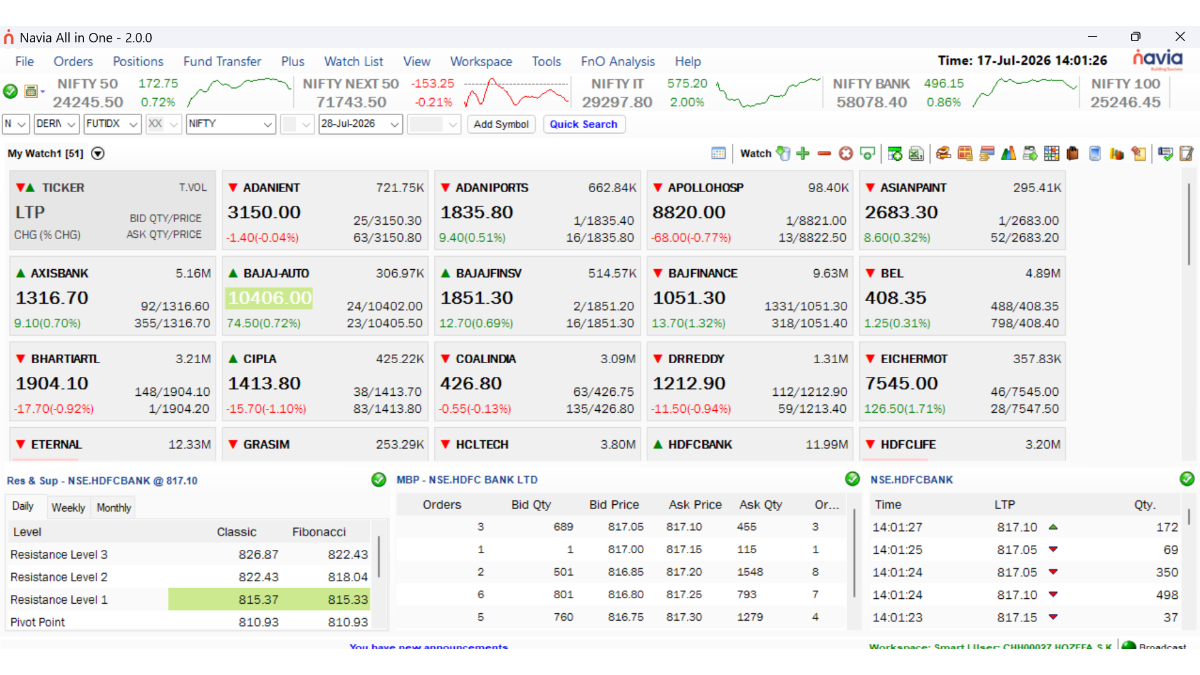
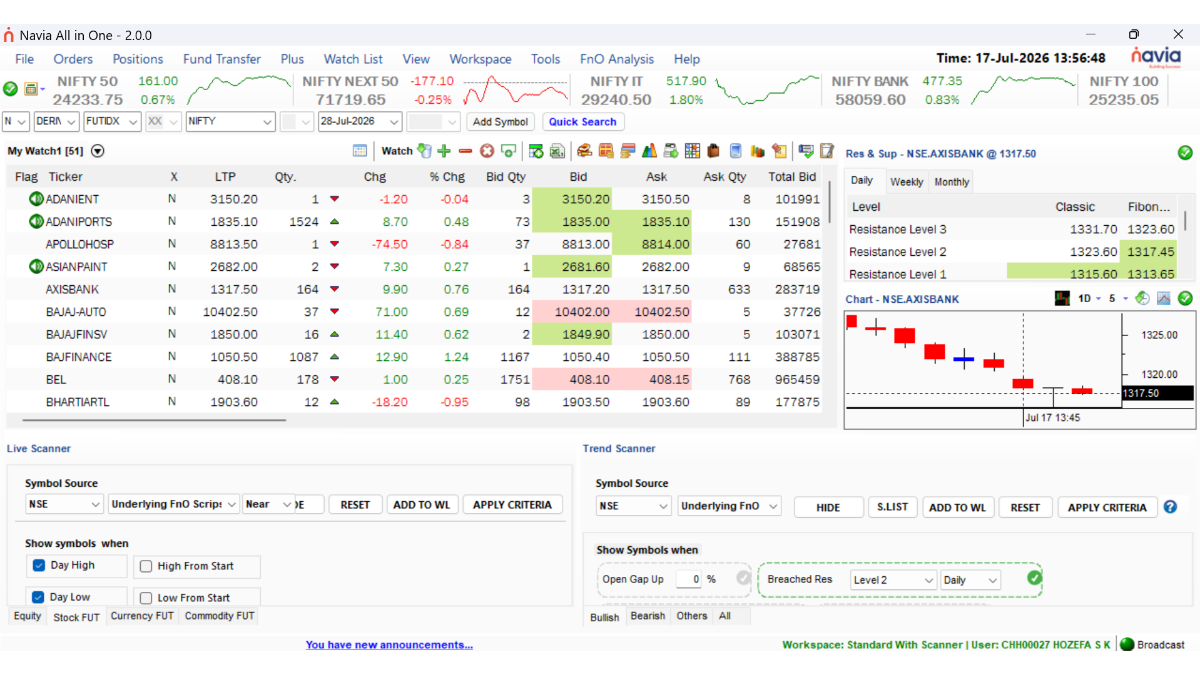
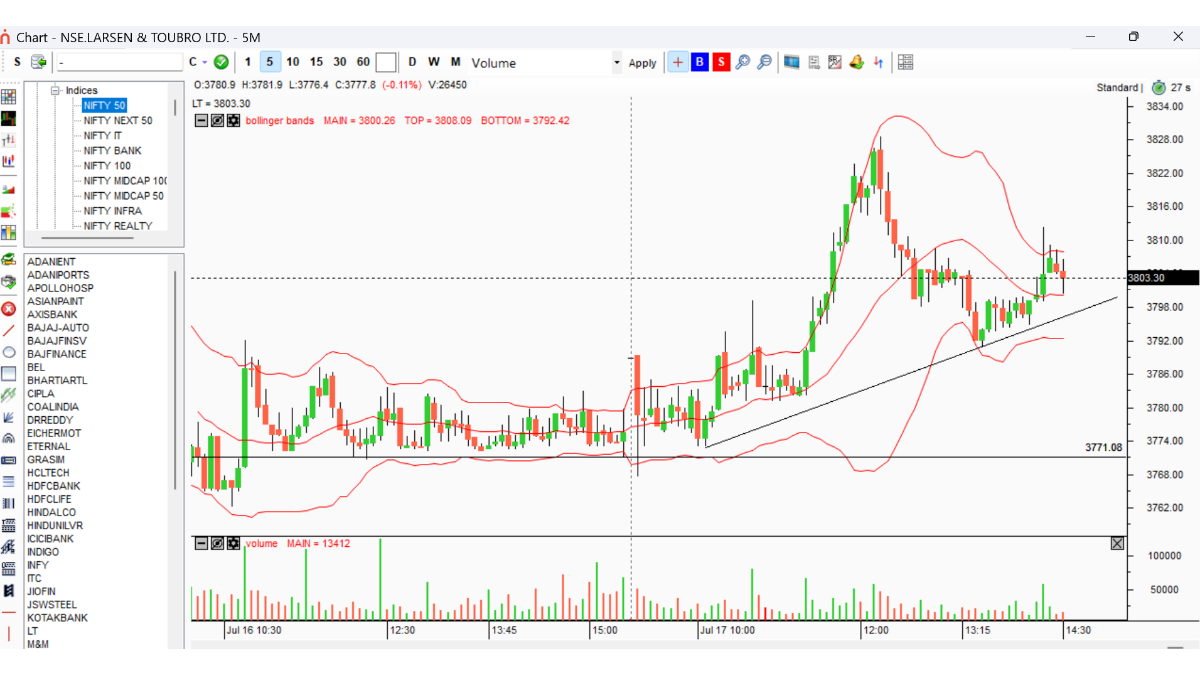
A professional-grade market information and execution desktop for active traders and research analysts. Live market data, powerful scanners and advanced charting — integrated straight into your Navia order book.
Everything a serious trader needs, on one screen
Built for active traders, dealers and research analysts who need speed and depth — not another light-weight watchlist app.
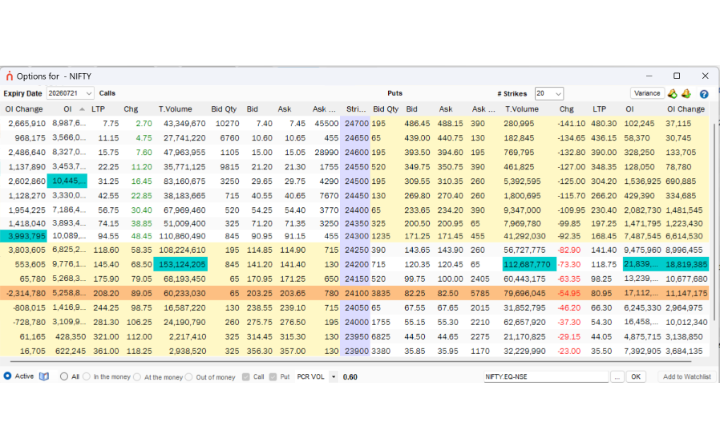
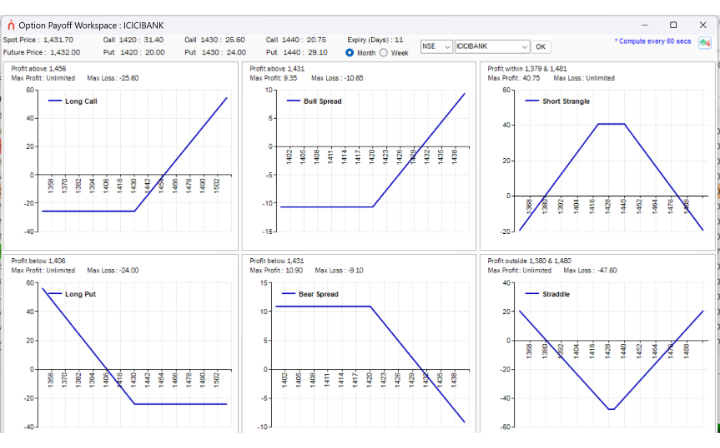
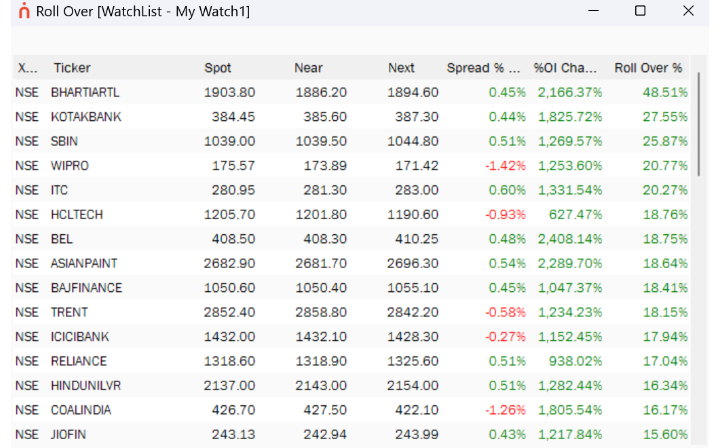
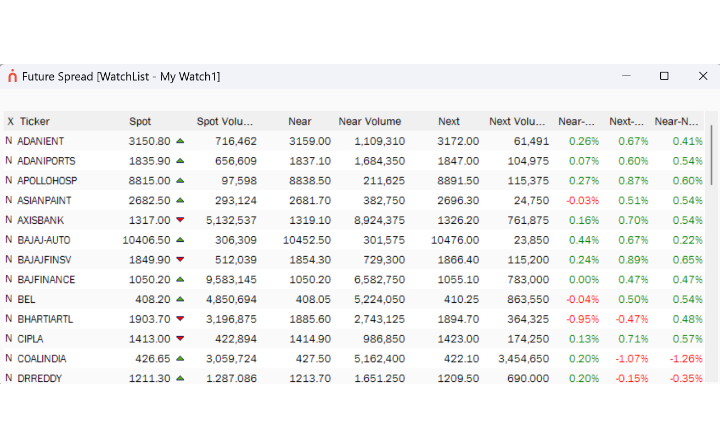
Built for derivatives traders
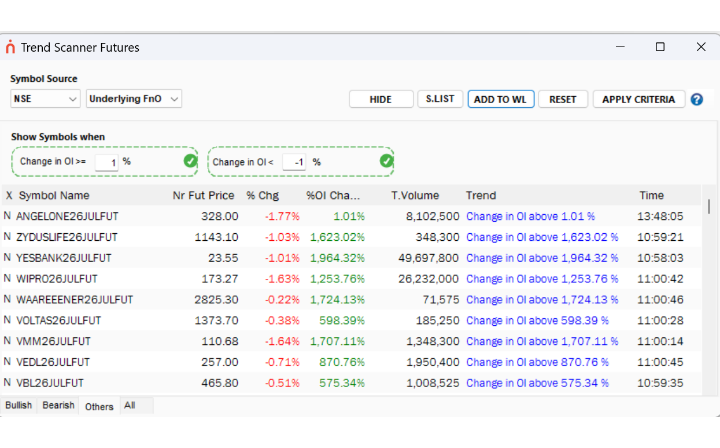
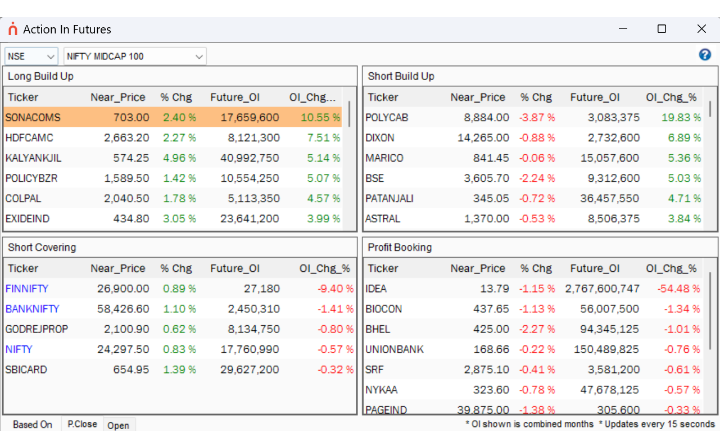
- →Action in Futures, Live & Trend Scanner Futures, Most Bullish and Bearish
- →Option Chain with Tools and an Options Calculator
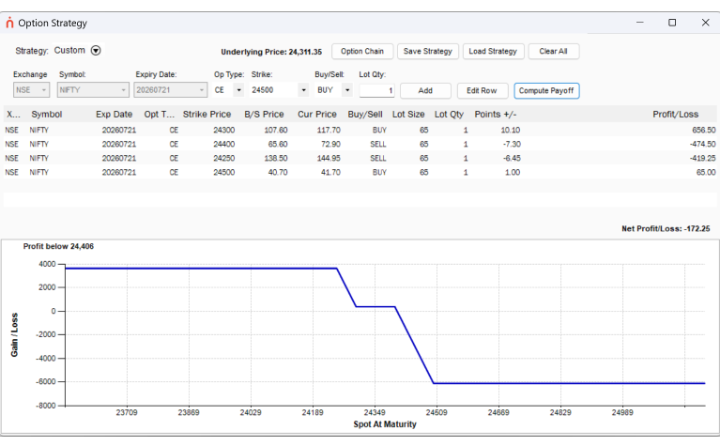
- →Option Strategy builder and Option Payoff Workspace
- →Options Combo Alert Manager for multi-leg alerts
25+ end-of-day reports, built in
Spot trend reversals and significant movements without leaving the terminal.
Frequently asked questions
Everything you need to know about Navia Pro Terminal before you download it.
What is Navia Pro Terminal?
Navia Pro Terminal (also called Navia All in One) is a professional-grade Windows desktop trading terminal for active traders and research analysts, with live market data, advanced charting, scanners, option chain tools and direct order routing into your Navia account.
Is Navia Pro Terminal free to download?
Yes. The application itself is free for all Navia trading account holders to download and use.
What does it cost to trade using Navia Pro Terminal?
Enabling EXE trading on your account carries a brokerage of ₹5 per traded order. Once enabled, this ₹5-per-order rate applies to all your orders across Web, Mobile and EXE — not just trades placed from the terminal.
Which operating systems does Navia Pro Terminal support?
Navia Pro Terminal is currently available for Windows desktop only. It is not available on mobile or Mac at this time.
Can I use Navia Pro Terminal on my phone?
Not directly — it's built for desktop analysis and execution. On mobile, use the Navia app for trading on the go; Navia Pro Terminal is best used on a Windows PC or laptop.
Do I need a new account to use the terminal?
No. Navia Pro Terminal connects to your existing Navia trading account — you just download the app and enable EXE trading to start placing orders from it.
What features are included?
The terminal includes detailed market watchlists, 60+ technical indicators, powerful scanners (Live Scanner, Trend Scanner, Unusual Volume and more), data visualisation tools like Heat Map and Market Meter, an option chain with an options calculator and strategy builder, and 25+ end-of-day reports.
Is Navia Pro Terminal suited to F&O and options traders?
Yes. It includes dedicated derivatives tools — Action in Futures, Live and Trend Scanner Futures, an Option Chain with tools and calculator, an Option Strategy Builder with payoff visualisation, and an Options Combo Alert Manager for multi-leg alerts.
How is order routing handled?
Orders placed in Navia Pro Terminal route directly into your live Navia order book — the same account used on Web and Mobile.
Trade like a professional
Navia All in One is free to download — ₹5 per order once you enable EXE trading.
Pro Terminal is a Windows desktop app. On mobile, trade with the Navia app instead.
Download Exe Get the Navia app