Navia All in One
Buy with F1, sell with F2. Shortcut keys are built in for fast execution.
A professional-grade trading and investing app built for fast execution. Place orders with margin and charges in view, analyse options with a full chain and strategy builder, and track positions, holdings and funds, all connected straight to your Navia account.
Free download · Log in with your Navia account · Updates install automatically
Shortcut keys
Fast execution, straight from the keyboard
Place, modify and cancel orders and move between screens without reaching for the mouse. The full list is always one click away under More → Shortcut Keys.
Trading
Order Book
Market Watch
Screens
One app, every step
Trade, track and invest in one window
Every screen opens as a tab, so you can move from watching the market to placing an order to checking your P&L without switching apps.
Trade Orders
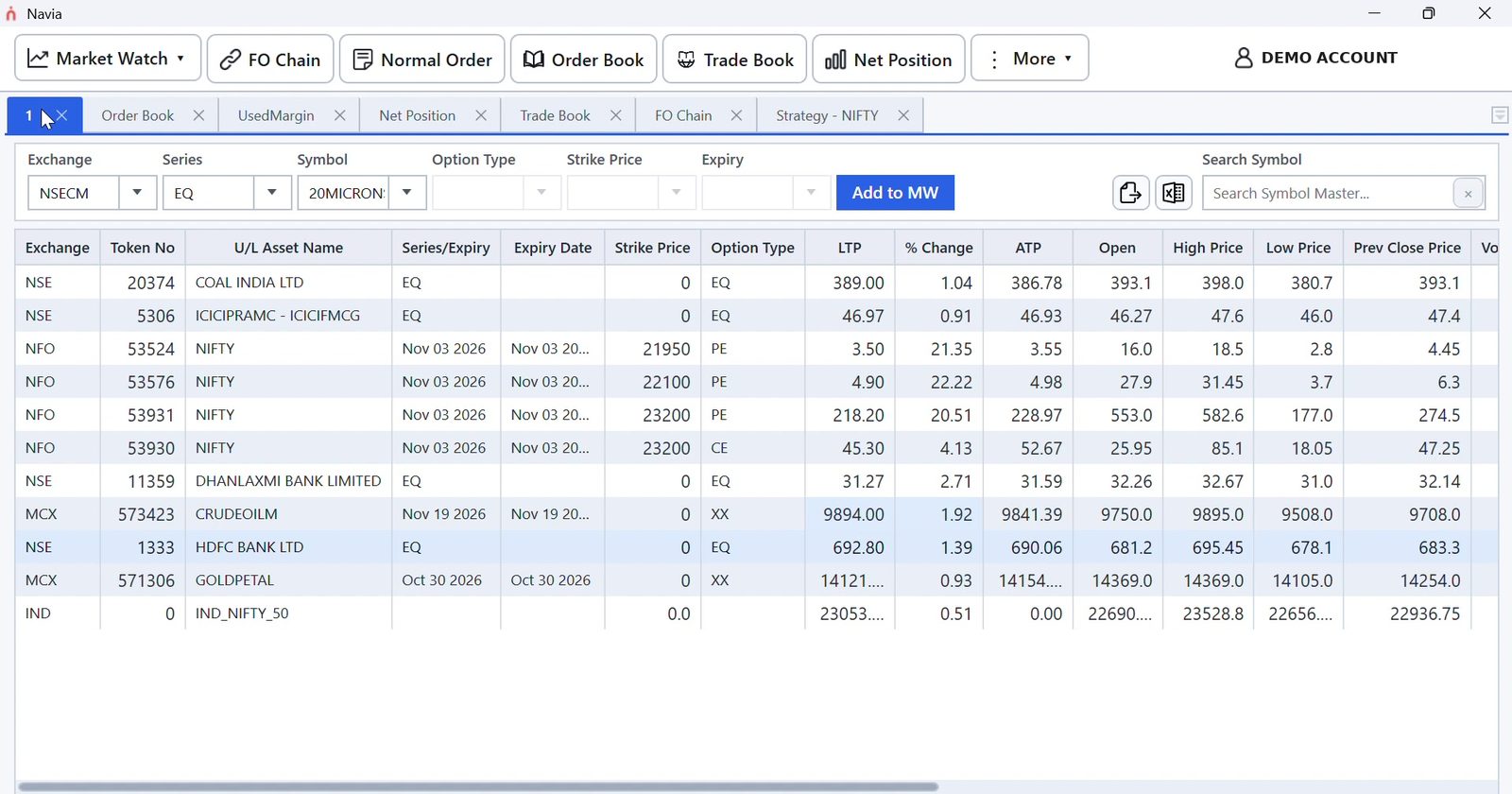
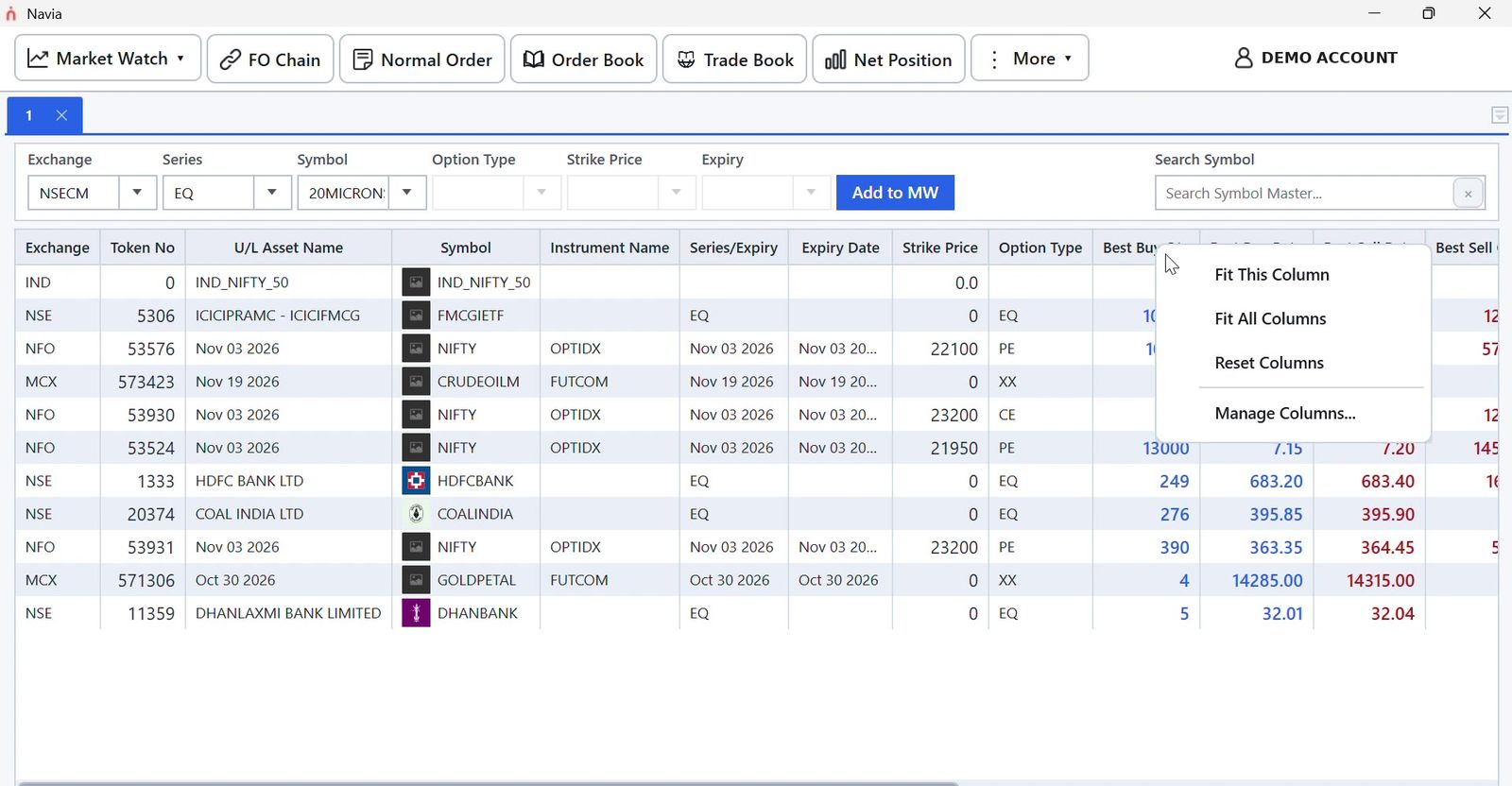
- Market WatchNSE, NFO and MCX in one list with depth, OHLC, ATP and volume
- Order windowMargin, charges and available margin shown before you place
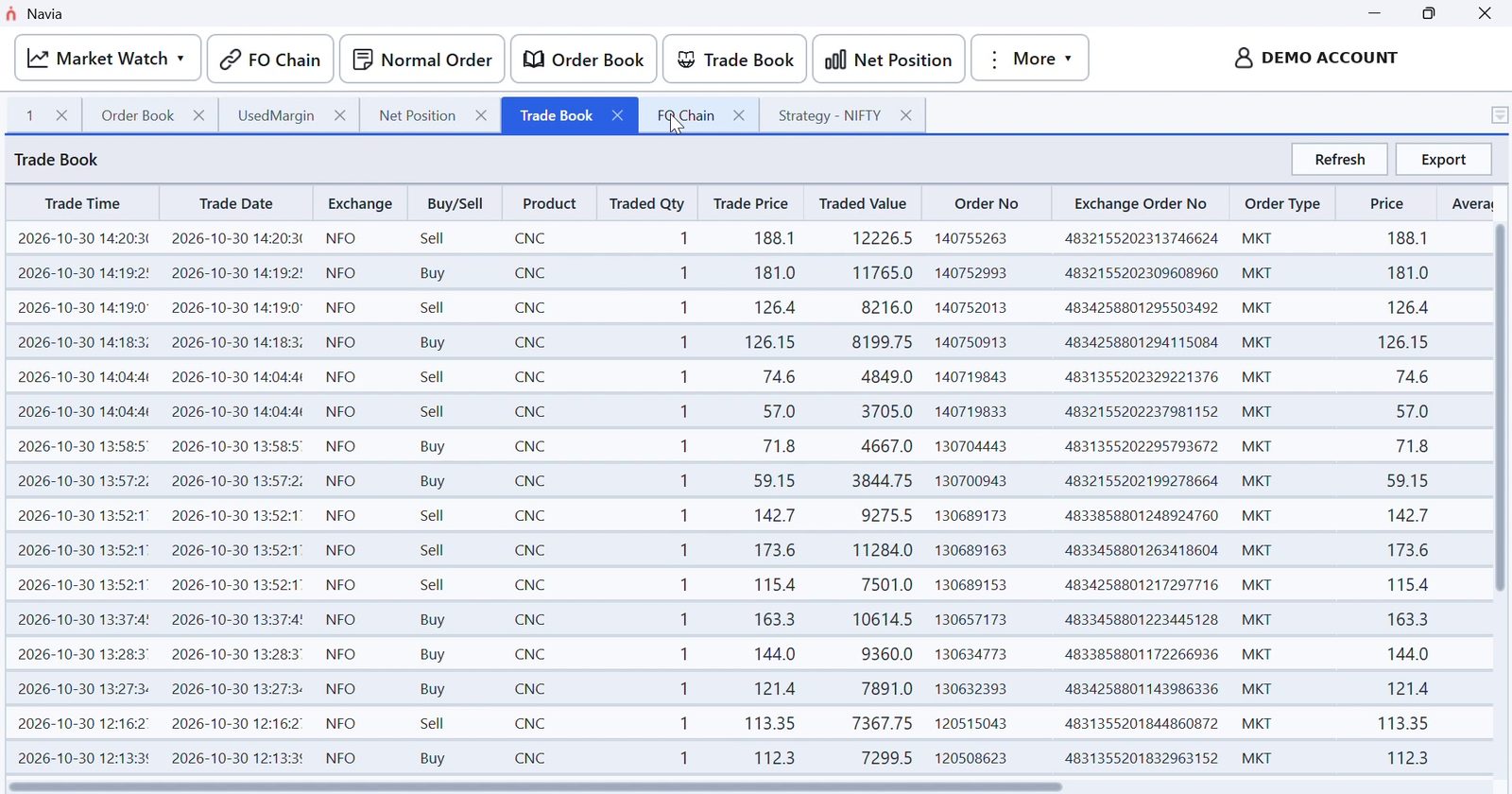
- Order Book and Trade BookModify, cancel or cancel all from one bar
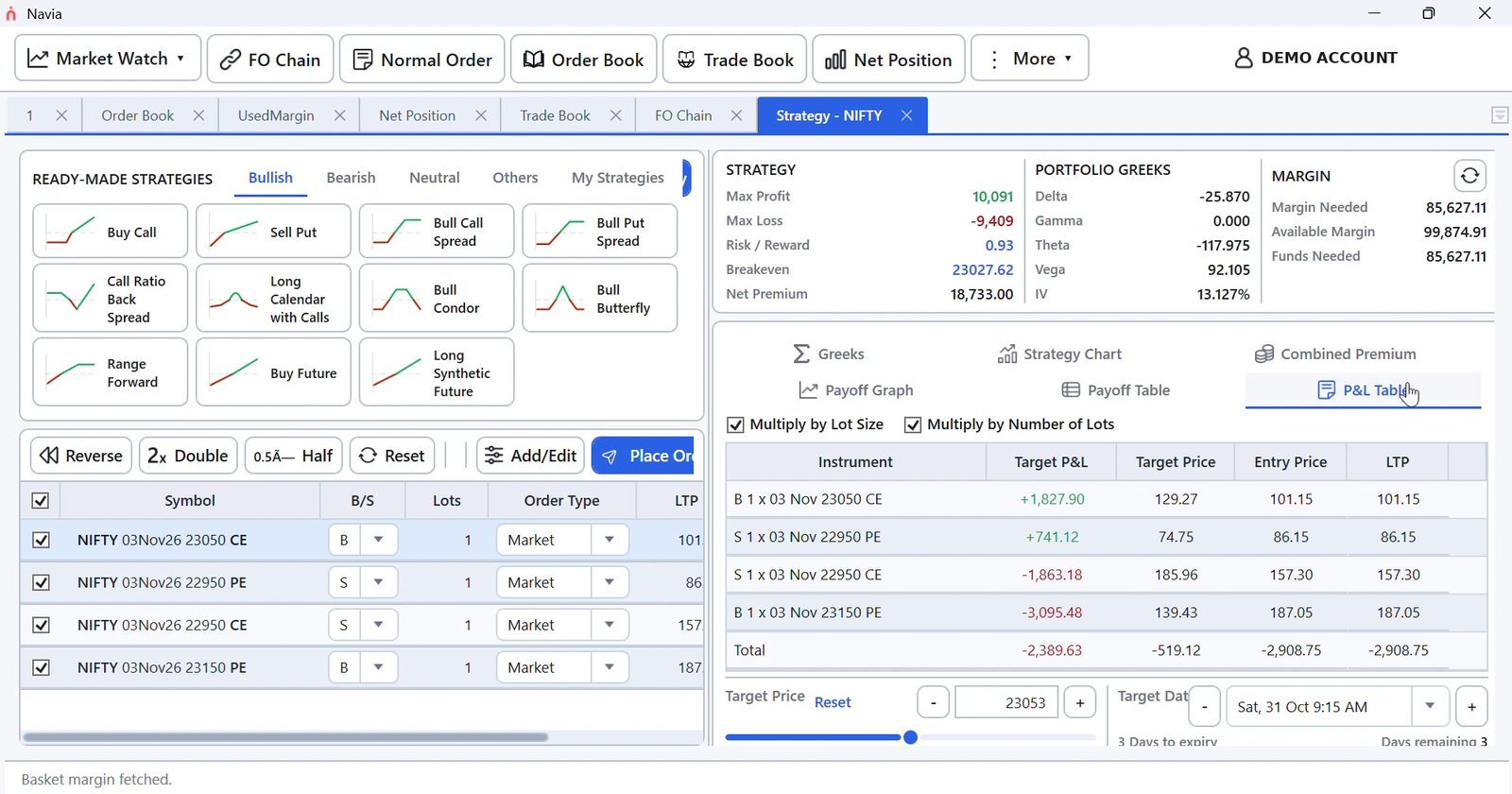
- FO Chain and strategy builderPayoff, Greeks and margin for multi-leg trades
Track Portfolio
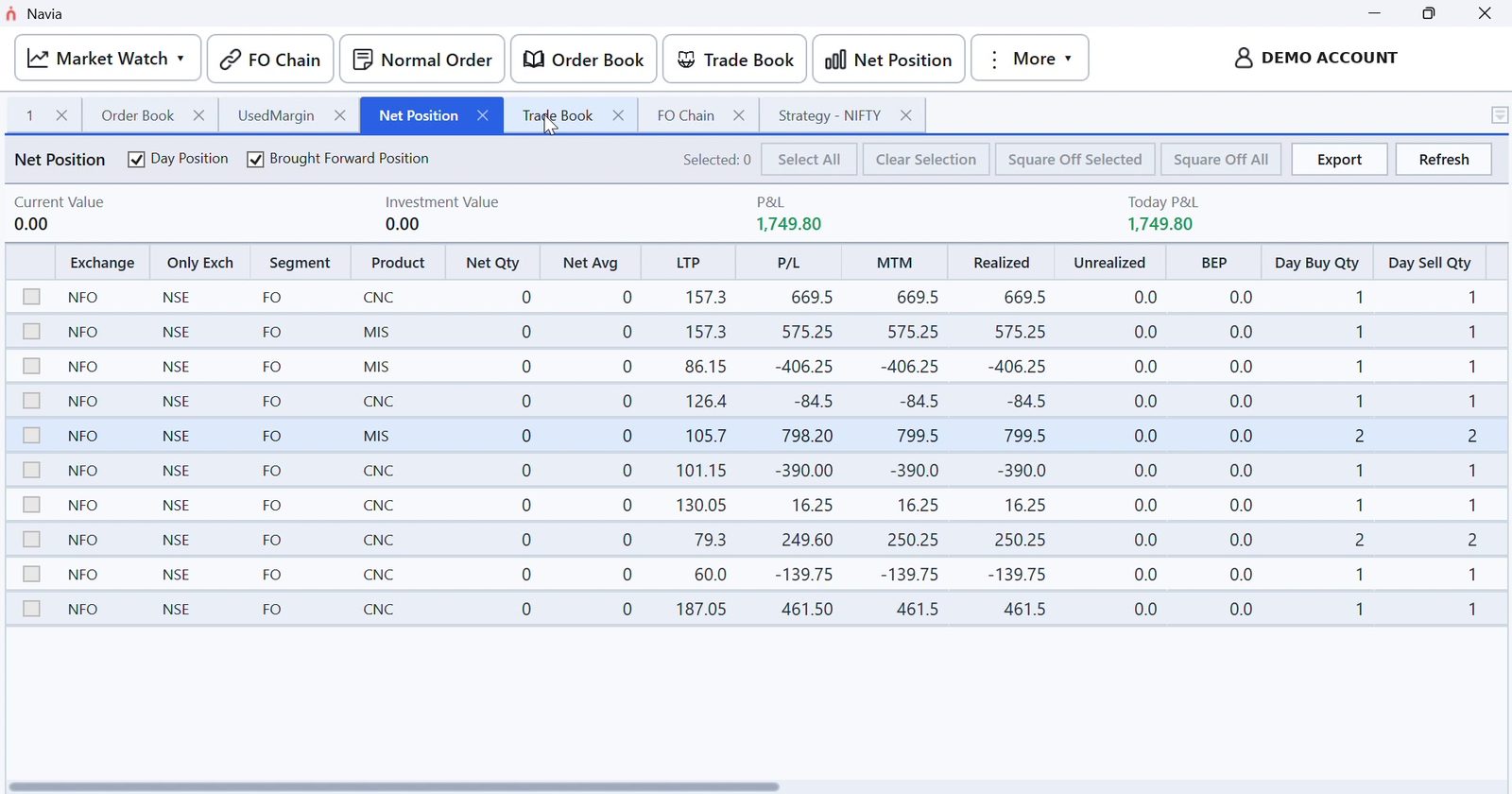
- Net PositionDay and brought-forward positions, with square-off
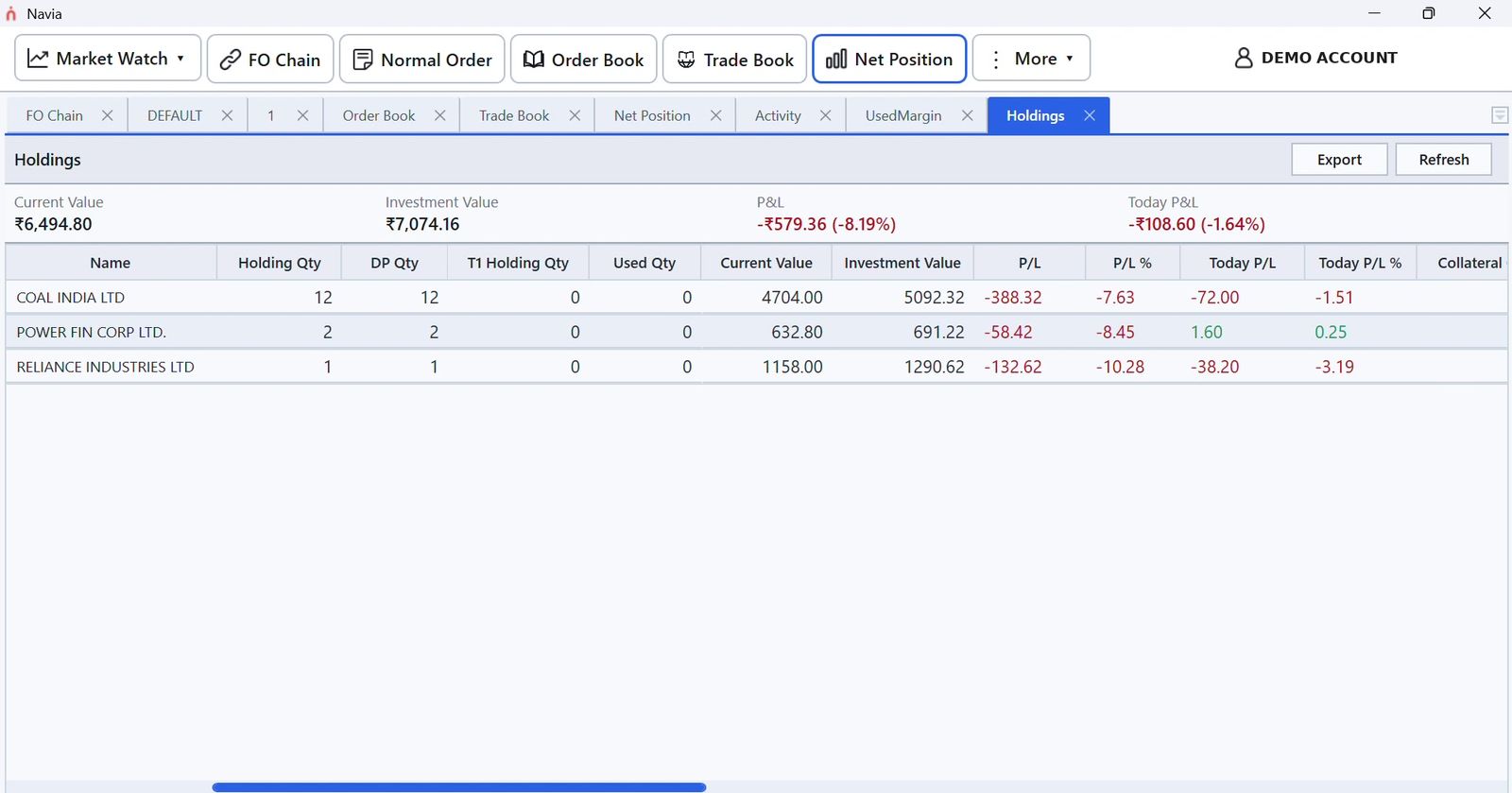
- HoldingsCurrent value and today's P&L for every stock
- Funds and Used MarginAdd or withdraw funds and see a full margin breakdown
- Activity and price alertsEvery order's status, plus alerts on your price levels
Research and invest Beyond trading
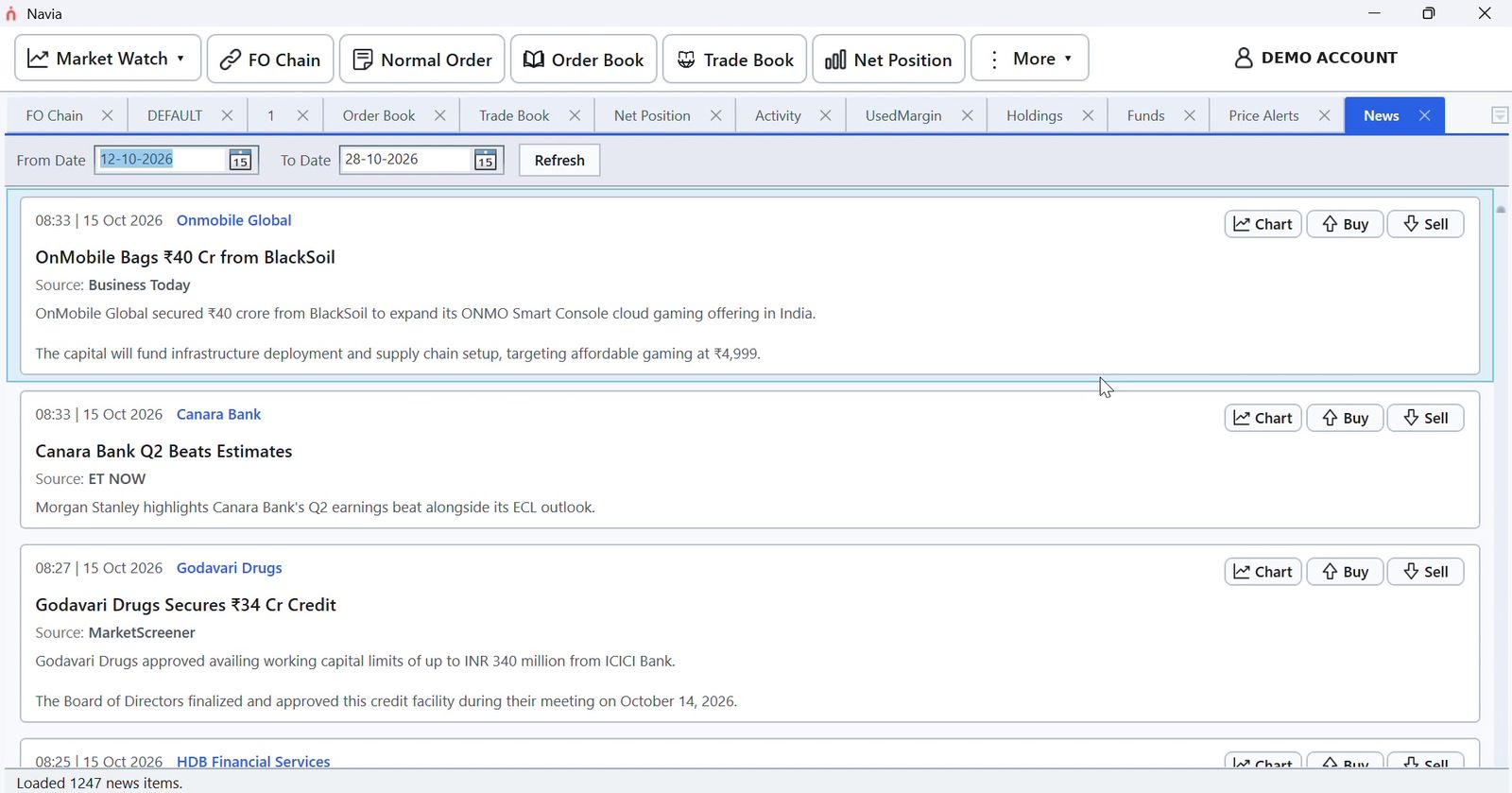
- NewsHeadlines with Chart, Buy and Sell buttons
- Index tickerNIFTY 50, SENSEX and more in a floating window
- Mutual funds and SIPsExplore funds and track your fund holdings
- IPOs and basketsApply for IPOs and place basket orders
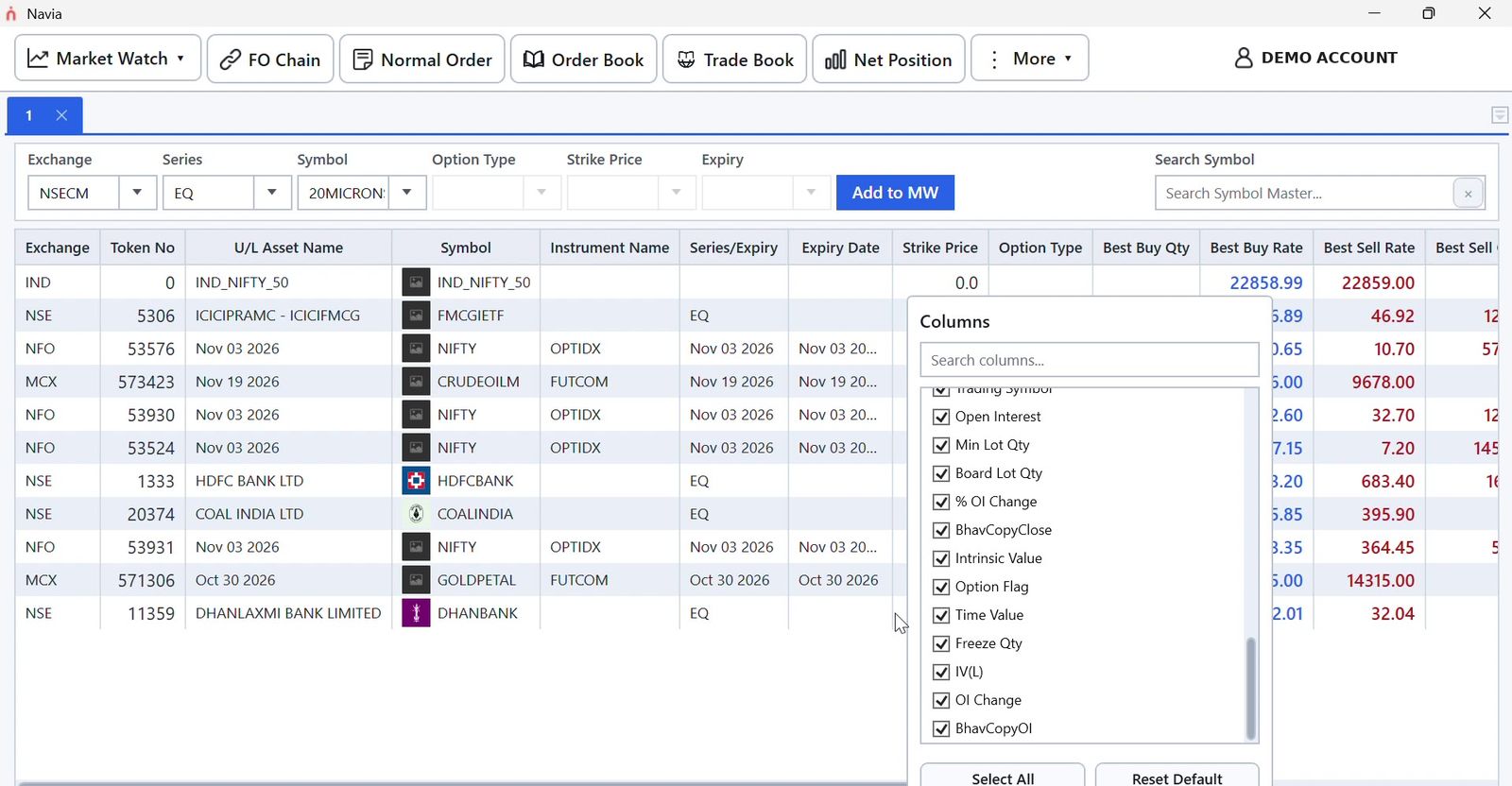
Market Watch
Set up Market Watch your way
Sort any column with a click, drag columns into the order you want and fit them to size. Pick exactly which fields to show, including option data.
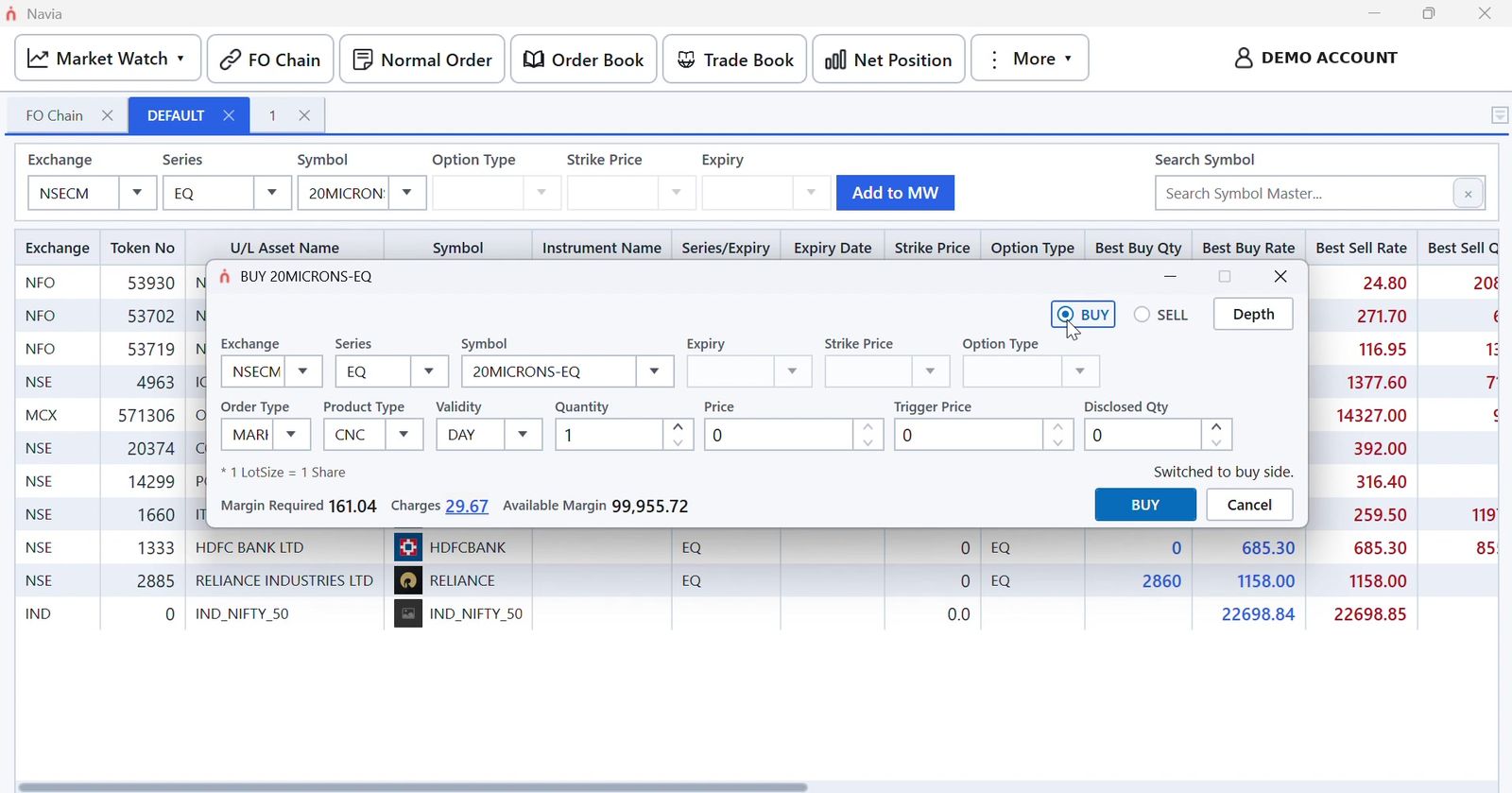
Trading
Place orders with the full picture
- Margin required, charges and available margin shown before you click Buy
- Exchange, series, symbol, expiry and strike chosen in one window
- Market depth one click away
- Order Book and Trade Book update as your orders fill
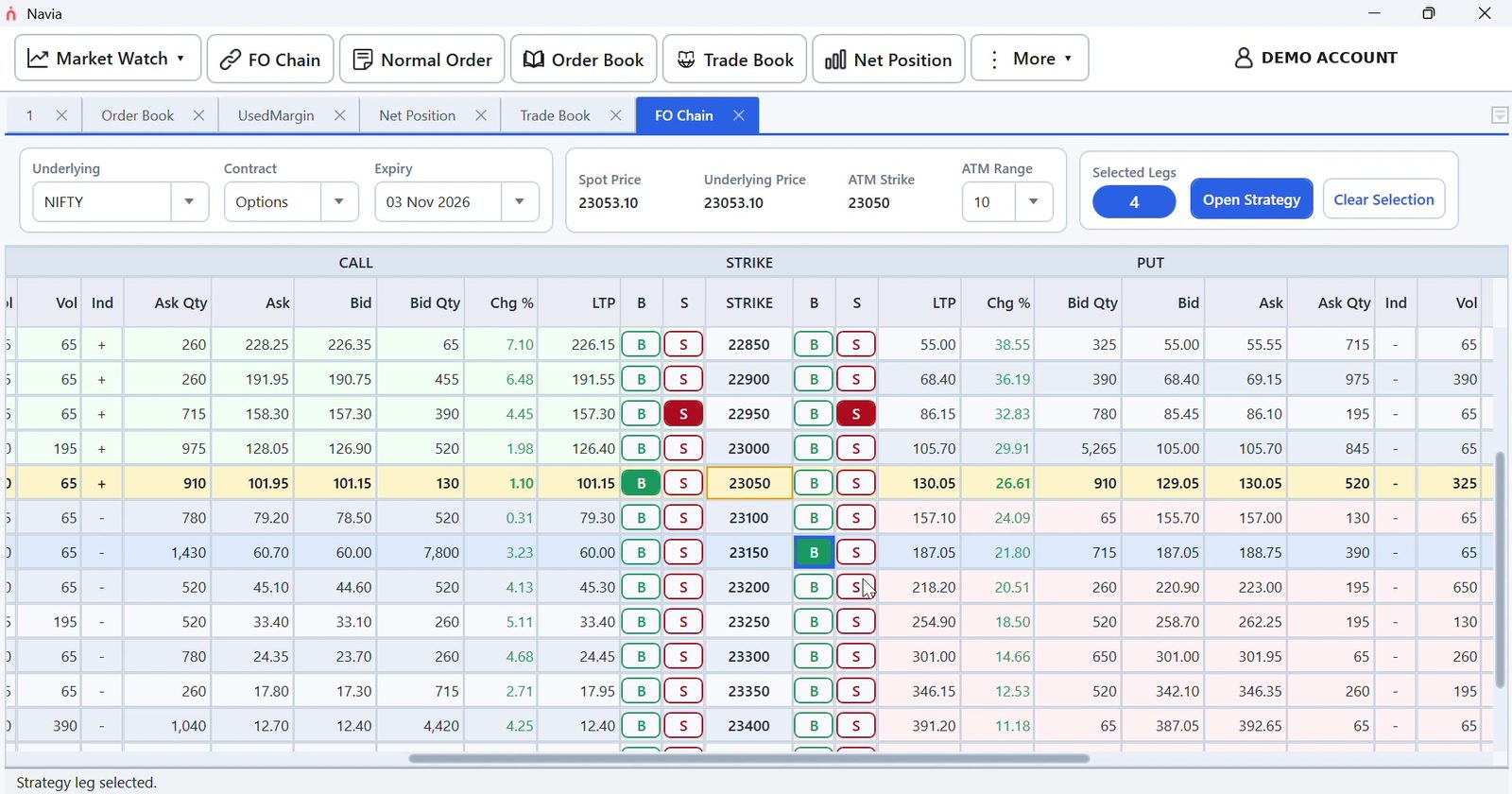
Options
A complete option chain
- Calls and puts side by side around the ATM strike, with bid, ask, LTP, % change and volume
- Choose the underlying, contract and expiry, and set how many strikes to show around ATM
- Spot price, underlying price and ATM strike always in view
- Buy or sell any strike with the B and S buttons
- Select several legs and open them together as a strategy
Options
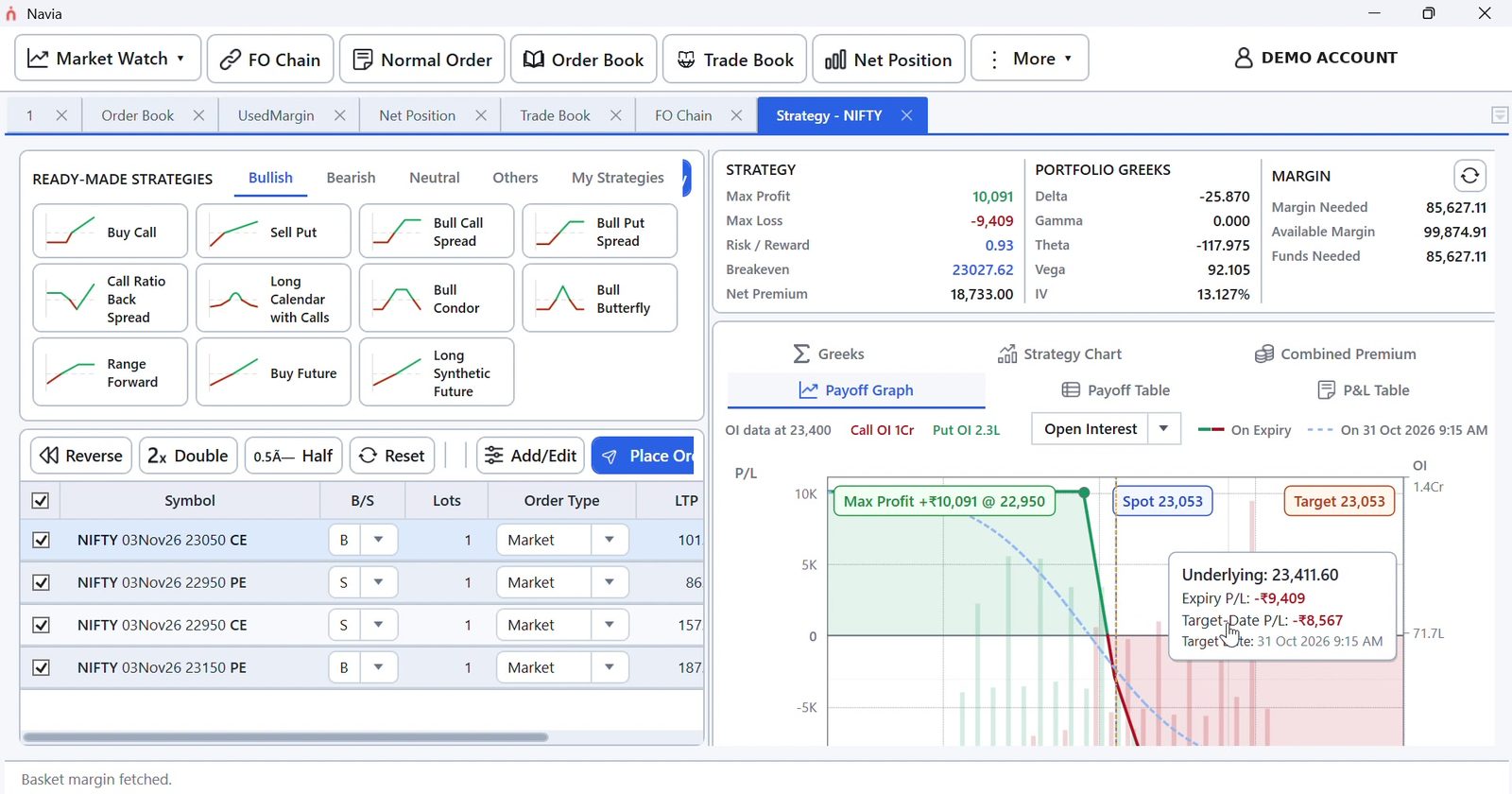
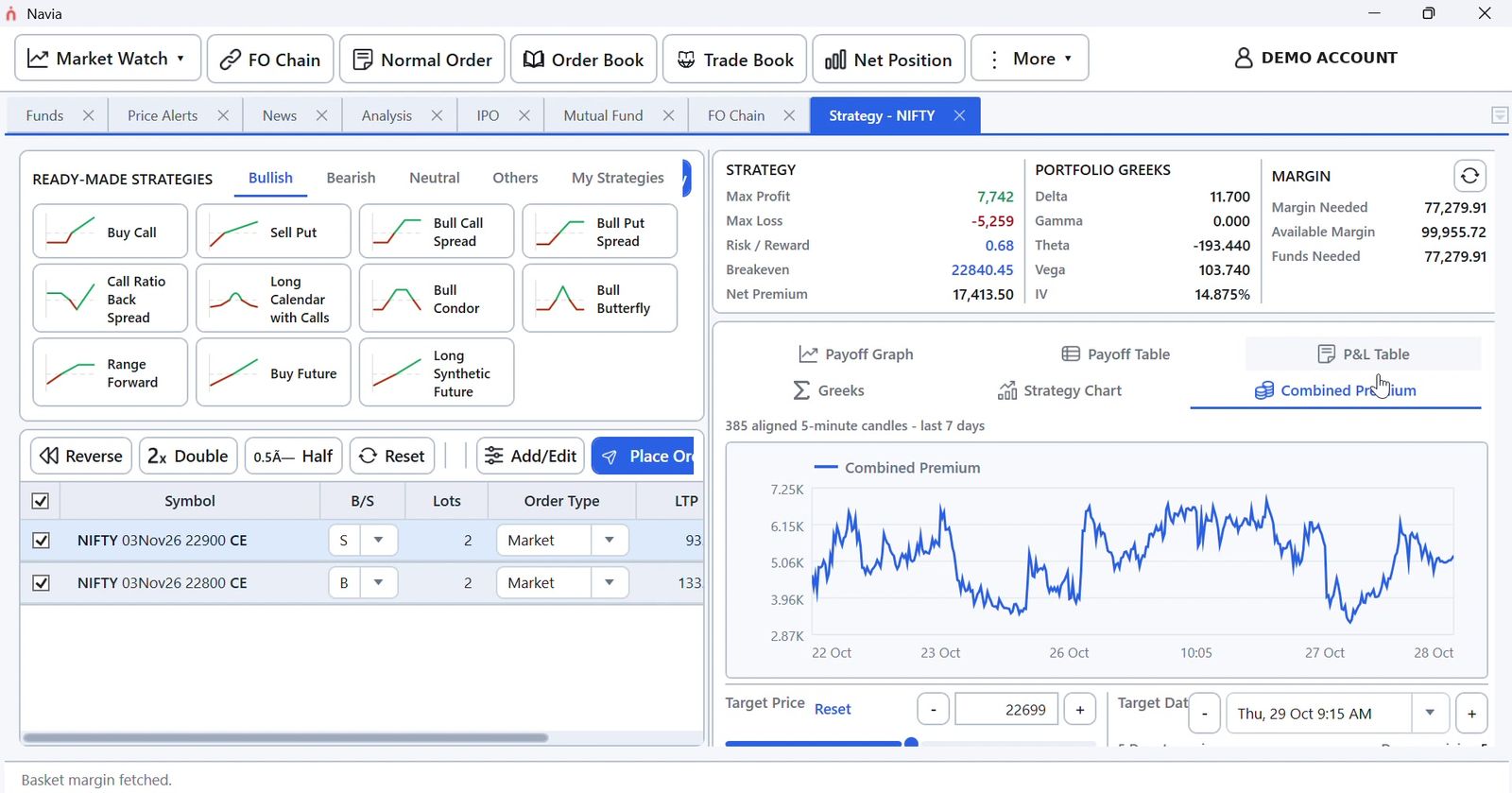
Build and test option strategies
- Start from a ready-made Bullish, Bearish or Neutral strategy, or save your own under My Strategies
- Reverse, Double or Halve every leg in one click
- Max profit, max loss, risk/reward, breakeven and net premium for the whole position
- Portfolio Greeks (delta, gamma, theta, vega) and IV
- Set a target price and date to see the projected return
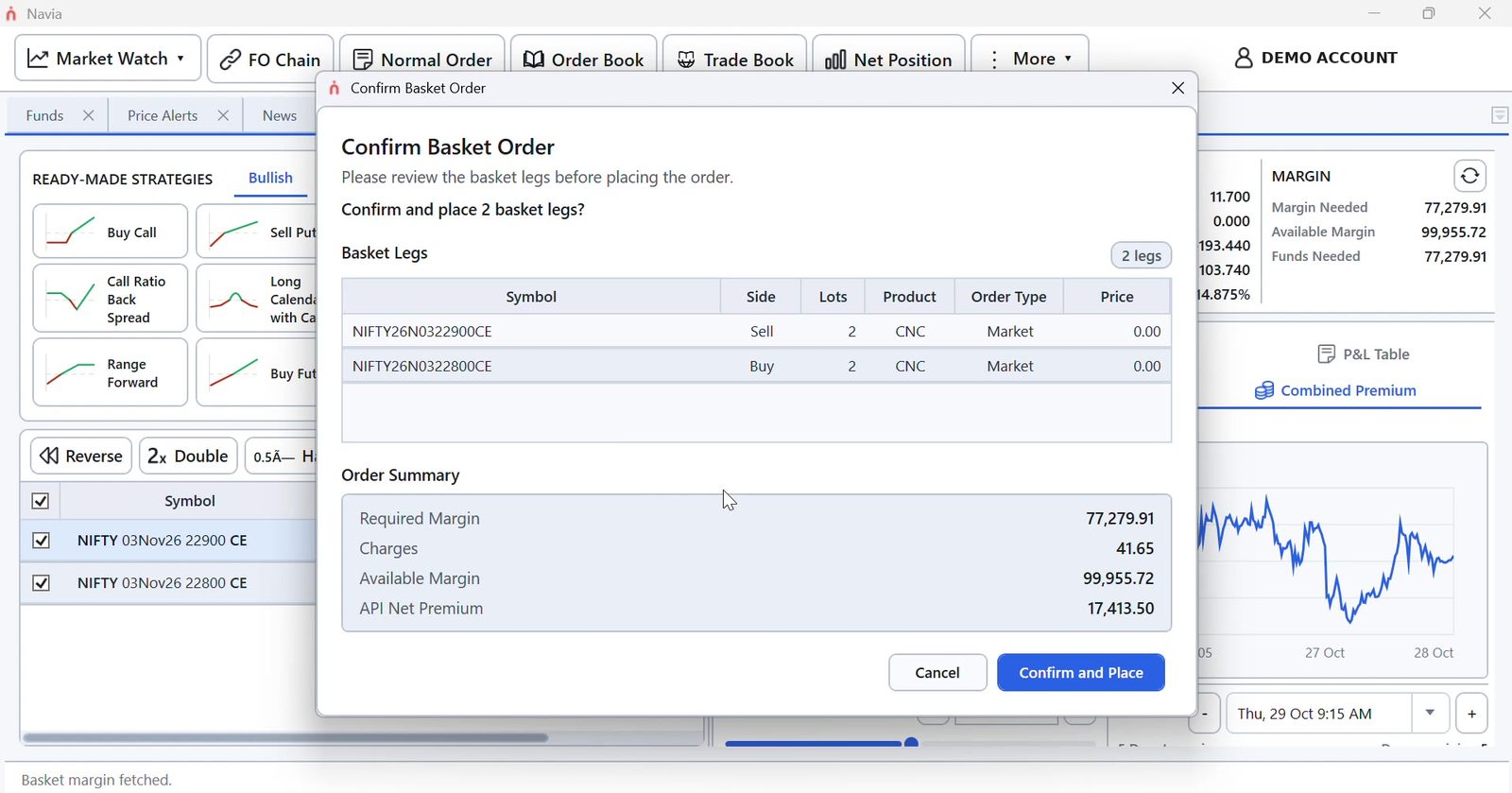
- Margin needed and funds needed for the whole basket before you place it
Margin is worked out on all the legs of your strategy together. When one leg hedges another, as in a spread, the margin needed is usually much lower than selling the same option on its own. You see the final figure before you confirm.
Portfolio
Know where you stand at all times
Net positions, holdings, funds and used margin each have their own screen, with current value and today's P&L at the top.
Research and investing
Read the news, then act on it
Browse company news by date and trade from the headline. Mutual funds, SIPs, IPOs and baskets are all under the More menu.
See Navia All in One in action
Screens from the live app.
Available for Windows
Free to download for all Navia trading account holders. Log in with your existing Navia credentials.
The app itself is free. Enabling EXE trading on your account carries a brokerage of ₹5 per traded order. This rate then applies to all your orders across Web, Mobile and EXE once opted in.
Frequently asked questions
What you need to know before you download Navia All in One.
What is Navia All in One?
Navia All in One is Navia's Windows trading app. It brings Market Watch, order entry, your order and trade books, positions, holdings, funds, news, mutual funds, IPOs and an F&O strategy builder into one tabbed window.
Does it have keyboard shortcuts?
Yes, more than 20. F1 and F2 open Buy and Sell, Alt + F2 and Alt + F1 modify and cancel orders, F6 opens market depth, and screens such as Order Book (F3), Trade Book (F8), Net Position (Alt + F6) and FO Chain (Ctrl + O) each have their own key. The full list is under More → Shortcut Keys.
Is Navia All in One free to download?
Yes. The app is free for all Navia trading account holders.
What does it cost to trade using Navia All in One?
Enabling EXE trading carries a brokerage of ₹5 per traded order, applied across Web, Mobile and EXE once you opt in.
Do I need a new account?
No. Sign in with your existing Navia trading account.
How do updates work?
Navia All in One checks for updates and installs them automatically, so you always have the latest version without reinstalling.
Which operating systems are supported?
Navia All in One is a Windows app.
Can I track my positions and holdings?
Yes. Net Position shows day and brought-forward positions with MTM and P&L, and lets you square off selected positions or all of them. Holdings shows current value and today's P&L for each stock.
Do I get a margin benefit on hedged positions?
The strategy builder calculates margin for all the legs of a basket together, so hedged positions such as spreads usually need less margin than the same legs placed on their own. The required margin is shown before you confirm the order.
Does it support F&O trading?
Yes. The FO Chain lets you buy or sell any strike, and the strategy builder shows payoff, Greeks and margin before you place a multi-leg order.
Can I invest in mutual funds and IPOs from the app?
Yes. Mutual funds, IPOs, baskets, and adding or withdrawing funds are all under the More menu.
Trade like a professional
Navia All in One is free to download. ₹5 per order once you enable EXE trading.
Download for Windows