

10 Things to Check Before Choosing an Options Trading App in India (2026)
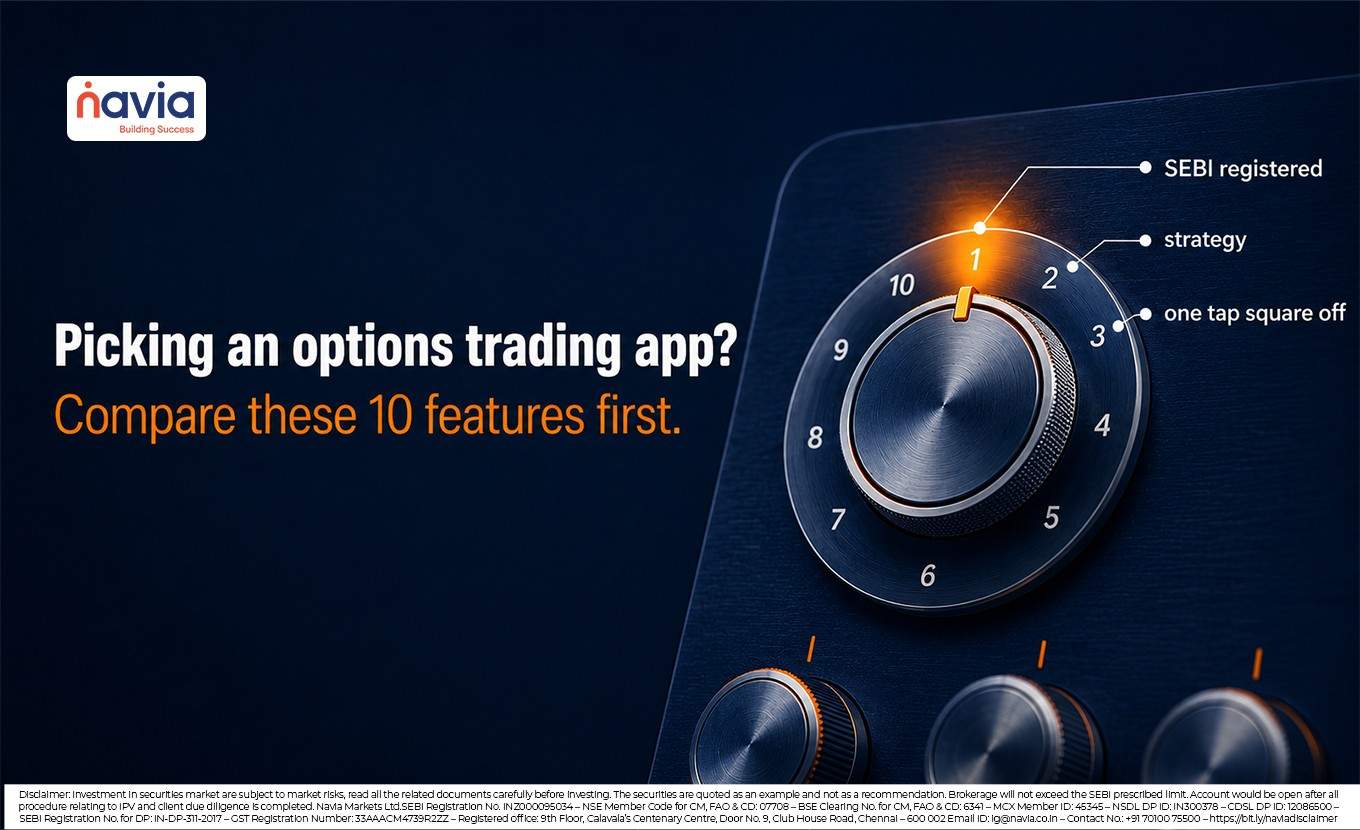
Low brokerage is only one factor when choosing an options trading app. Compare pricing, trading tools, margin transparency, and platform features before making a decision. A suitable app should combine transparent pricing, advanced options tools, clear margin information, and a SEBI-regulated trading platform. Before opening an account, compare apps using a consistent set of features instead of focusing on a single claim. This guide explains 10 important features to compare, including ₹0 brokerage, a live option chain, a strategy builder, and built-in risk controls. It also includes a simple scorecard to compare multiple apps.
💡 Quick Answer
No single app is the best options trading app in India for every trader — the right choice depends on your trading style. A good options app should offer transparent pricing, advanced options tools, clear margin information, and a SEBI-regulated platform. Compare each app against the 10 features below, then pick the one that fits you. Navia’s All-in-One App offers ₹0 brokerage per order on eligible F&O and the Insta Options suite, so you can evaluate it alongside others.
- Why compare features instead of chasing the lowest fee?
- #1 – Is the app from a broker registered with SEBI and its exchanges?
- #2 – What is the real cost of a trade, not just the brokerage?
- #3 Does it show a live option chain with OI and IV?
- #4 Can you build and see a strategy before you place it?
- #5 Can you place a strategy with multiple legs as one basket order?
- #6 How quickly can you exit, and is there a one tap square off?
- #7 Does it show margin upfront and check risk on every order?
- #8 Is execution fast and the platform steady when it matters?
- #9 Can you trade across devices and segments from one account?
- #10 Can you try the app first, and get help when you are stuck?
- Who Should Consider an All-in-One Options Trading App?
- The 10 features at a glance: how the Navia All in One App handles each
- A word on F&O risk
- Conclusion
- Frequently Asked Questions
Why compare features instead of chasing the lowest fee?
A “zero brokerage” claim should not be the only factor when comparing options trading apps. The total trading experience also depends on statutory charges, platform features, and trading tools. For options traders, features such as a live option chain, open interest data, strategy builders, and quick order execution can support informed trading decisions. Since options involve leverage, transparent margin information and trading through a SEBI-registered broker are also important considerations.
Many SEBI-registered discount brokers now offer similar core features. The key difference often lies in how these features work together and how easy they are to access. Compare every app using the same checklist to make an informed decision. The next 10 features can help you evaluate different options trading apps consistently.
#1 – Is the app from a broker registered with SEBI and its exchanges?
Start with safety before comparing features. Choose a broker registered with SEBI and a member of the exchanges you trade on, such as NSE, BSE, or MCX. Also check its depository participation with NSDL or CDSL. Verify the broker’s SEBI registration number and exchange memberships on the official SEBI and exchange websites before funding your account.
Navia Markets is registered with SEBI (Reg. No. INZ000095034) and is a member of NSE, BSE, and MCX, with NSDL and CDSL as its depositories.
#2 – What is the real cost of a trade, not just the brokerage?
₹0 brokerage does not mean zero trading costs. Statutory charges such as Securities Transaction Tax (STT), exchange transaction charges, GST, the SEBI turnover fee, and stamp duty apply to every Futures and Options (F&O) trade, regardless of the broker.
How to compare apps: Use the broker’s brokerage calculator to estimate the total cost of the same trade, including brokerage and statutory charges. Since statutory charges are regulated, the main difference usually comes from brokerage.
Where Navia stands: Navia charges ₹0 brokerage per order on eligible equity, currency, and commodity F&O trades. Statutory charges still apply. Its brokerage calculator helps traders estimate the total trading cost before placing an order.
#3 Does it show a live option chain with OI and IV?
An option chain displays available strike prices along with live premium, open interest (OI), and implied volatility (IV). Many traders use OI and IV to analyse market activity. A well-designed app shows this information on one screen for easier analysis.
How to compare apps: Check whether the option chain includes live OI and IV without requiring a separate subscription. Also verify that the data refreshes during market hours.
Where Navia stands: Navia’s Insta Options provides a live option chain with OI, IV, and combined premium charts within the platform.
#4 Can you build and see a strategy before you place it?
Many options strategies combine multiple positions, such as spreads, straddles, or iron condors. A strategy builder with a visual payoff chart helps traders analyse potential profit, loss, and breakeven levels before placing a trade.
How to compare apps: Build a simple two-leg strategy and check whether the app displays a visual payoff chart with the maximum profit, maximum loss, and breakeven points. Use these tools for analysis, not as trading advice.
Where Navia stands: Navia’s Insta Options includes a strategy builder with visual payoff charts to help traders analyse potential outcomes before placing a trade. These tools are for analysis only and do not constitute trading advice.
#5 Can you place a strategy with multiple legs as one basket order?
Multi-leg options strategies involve placing two or more orders together. Basket orders help execute all legs in a single action, reducing the chance of price changes between individual orders.
How to compare apps: Check whether the app supports basket orders for multi-leg strategies. Also look for features such as iceberg orders and cover orders to manage larger or risk-controlled trades.
Where Navia stands: Navia supports basket orders, iceberg orders, and cover orders for eligible trading strategies.

#6 How quickly can you exit, and is there a one tap square off?
Exiting a trade is as important as entering one, especially during volatile market sessions. Features such as quick square-off and reverse orders can help traders manage positions more efficiently.
How to compare apps: Check how quickly you can square off or reverse a position. Fewer steps can improve the trading experience during active market conditions.
Where Navia stands: Navia’s Insta Options includes one-tap Reverse and Square Off features for eligible positions within the app.
#7 Does it show margin upfront and check risk on every order?
Options trading uses leverage, making both gains and losses larger. Before placing a trade, the app should clearly display the required margin so traders can make informed decisions.
How to compare apps: Start an order and check whether the required margin appears before you place it. Margin visibility supports better trade planning, while position sizing and risk management remain the trader’s responsibility.
Where Navia stands: Navia displays margin requirements upfront and applies built-in margin and risk checks on eligible orders.
#8 Is execution fast and the platform steady when it matters?
Order speed and platform reliability are important, especially during active market sessions such as expiry days. However, order execution and price always depend on market conditions, liquidity, and exchange systems.
How to compare apps: Place a few test orders during market hours and observe the app’s performance. You can also review the broker’s service updates and user feedback on platform stability.
Where Navia stands: Navia uses low-latency infrastructure to support timely order routing. Actual order execution depends on market conditions, liquidity, and exchange systems.
#9 Can you trade across devices and segments from one account?
Many traders use both mobile and web platforms. Check whether the app supports access across devices and multiple market segments from a single account. This can make trading more convenient.
How to compare apps: Verify whether you can use the same account on mobile and web. Also check if it supports equity, currency, and commodity F&O from one login.
Where Navia stands: Navia supports dual login across mobile and web. It also provides access to equity, currency, and commodity futures and options through a single account.
#10 Can you try the app first, and get help when you are stuck?
Explore the app before opening an account. A guest or trial mode lets you experience the platform, while support resources and educational content help you understand its features and options trading concepts.
How to compare apps: Use the guest or trial mode to explore the interface. Also check the quality of customer support and the availability of educational resources.
Where Navia stands: Navia offers Guest Mode (“Try Now”) to explore the platform before signing up. It also provides customer support and educational content through its blog.
Who Should Consider an All-in-One Options Trading App?
An all-in-one options trading app may suit active F&O traders who prefer trading tools, strategy features, and order management in one platform. It may be less suitable for investors who mainly trade equity delivery or rely on specialized charting platforms. Choose an app that matches your trading needs and preferences.
The 10 features at a glance: how the Navia All in One App handles each
| Feature | What to check | How the Navia All in One App handles it |
|---|---|---|
| Regulation & safety | Registered with SEBI; member of NSE, BSE, MCX; NSDL or CDSL depository | Registered with SEBI (INZ000095034); member of NSE, BSE and MCX; NSDL and CDSL depository |
| True cost of a trade | Brokerage plus STT, exchange, GST, SEBI turnover fee, stamp duty; a calculator | ₹0 brokerage per order on eligible F&O; statutory charges apply; brokerage calculator on site |
| Option chain & data | Live option chain with OI and IV inside the app | Live option chain, OI and combined premium charts in Insta Options |
| Strategy builder | Builder for several legs with a visual payoff chart | Strategy finder with visual payoff charts in Insta Options |
| Basket & order types | Send all legs together; iceberg and cover orders | Basket orders for strategies with multiple legs; iceberg and cover orders |
| Fast exit | Square off or reverse in a single tap | One tap reverse and square off in Insta Options |
| Margins & risk | Margin shown upfront; risk checks on each order | Built in margin and risk checks on orders |
| Speed & stability | Low latency and uptime on expiry days | Low latency infrastructure; execution varies with market conditions |
| Devices & segments | Mobile and web at once; more than one F&O segment | Dual login; equity, currency and commodity F&O from one account |
| Try before you commit | Guest or trial mode; support and learning | Guest Mode (Try Now); support channels and a blog |
A word on F&O risk
No app can eliminate the risks of options trading. Trading tools can support analysis and order execution, but the risk of loss remains. According to SEBI’s Comparative Study of Growth in Equity Derivatives Segment vis-à-vis Cash Market After Recent Measures (July 2025), about 91% of individual traders in the equity derivatives segment reported net losses during FY 2024–25. SEBI also requires brokers to disclose that most individual F&O traders incur losses.
Choose an app based on its features, transparency, and regulatory compliance. Trade with appropriate position sizing, use stop-loss orders where suitable, and risk only the capital you can afford to lose.
Conclusion
Choosing an options trading app involves more than comparing brokerage charges. Evaluate each app based on transparent pricing, options trading tools, margin visibility, and regulatory compliance. Use this 10-point checklist to compare different platforms and choose the one that best fits your trading needs.
Navia’s All-in-One App includes features such as ₹0 brokerage per order on eligible F&O trades, Insta Options, a live option chain, OI analysis, payoff charts, basket orders, one-tap Square Off and Reverse, and built-in margin and risk checks. Navia Markets is registered with SEBI (Reg. No. INZ000095034).
Key Takeaways
- Compare options apps on features and total cost, not just the headline brokerage.
- Always confirm the broker is registered with SEBI and is a member of NSE, BSE, or MCX.
- ₹0 brokerage still carries statutory charges (STT, GST, exchange, SEBI turnover fee, stamp duty) — check the all-in cost with a brokerage calculator.
- Strong options apps offer a live option chain with OI and IV, a strategy builder with payoff charts, basket orders, one-tap exit, and upfront margin with risk checks.
- F&O carries high risk — SEBI’s July 2025 study found about 91% of individual equity derivatives traders had net losses in FY 2024–25; trade only capital you can afford to lose.
Frequently Asked Questions
Which is the best options trading app in India?
No single app is best for everyone. Score each app on the 10 features in this guide, namely regulation, true cost, option chain, strategy builder, order types, fast exit, upfront margins, speed, cross device access and a trial mode, and pick the one that meets the most for your trading style. The Navia All in One App is built to cover the full list, with ₹0 brokerage per order on eligible F&O and its Insta Options suite.
Is zero brokerage really free on F&O?
No. Zero brokerage means no brokerage fee, but statutory charges still apply to every F&O trade. These include STT, exchange transaction charges, GST, the SEBI turnover fee and stamp duty, and they are identical whichever broker you use. Always check the full cost, not just the brokerage, using a brokerage calculator.
What features should an options trading app have?
Look for a live option chain with OI and IV, a strategy builder with payoff charts, basket orders, a single tap square off, margins shown upfront with risk checks on every order, and fast, steady execution on expiry days, all from a broker registered with SEBI. Navia’s Insta Options brings these together in one interface.
What is Insta Options on Navia?
Insta Options is Navia’s options suite, built into the app. It offers a strategy finder with visual payoff charts, a live option chain with open interest and combined premium charts, and one tap reverse and square off tools, so you can analyse and manage options positions in one place.
Can I try Navia before opening an account?
Yes. Navia’s Guest Mode, shown as “Try Now,” lets you explore the real platform before you open and fund an account, a better test of whether an app suits you than any advertisement.
Is options trading safe for beginners?
Options carry large risk. SEBI’s July 2025 study found about 91% of individual equity derivatives traders made net losses in FY 2024 to 2025. Always enquire and research before investing.
DISCLAIMER: Investment in securities market are subject to market risks, read all the related documents carefully before investing. The securities quoted are exemplary and are not recommendatory. Full disclaimer: https://bit.ly/naviadisclaimer