

915 Scalper Widget Explained: Features and Trading Interface Overview
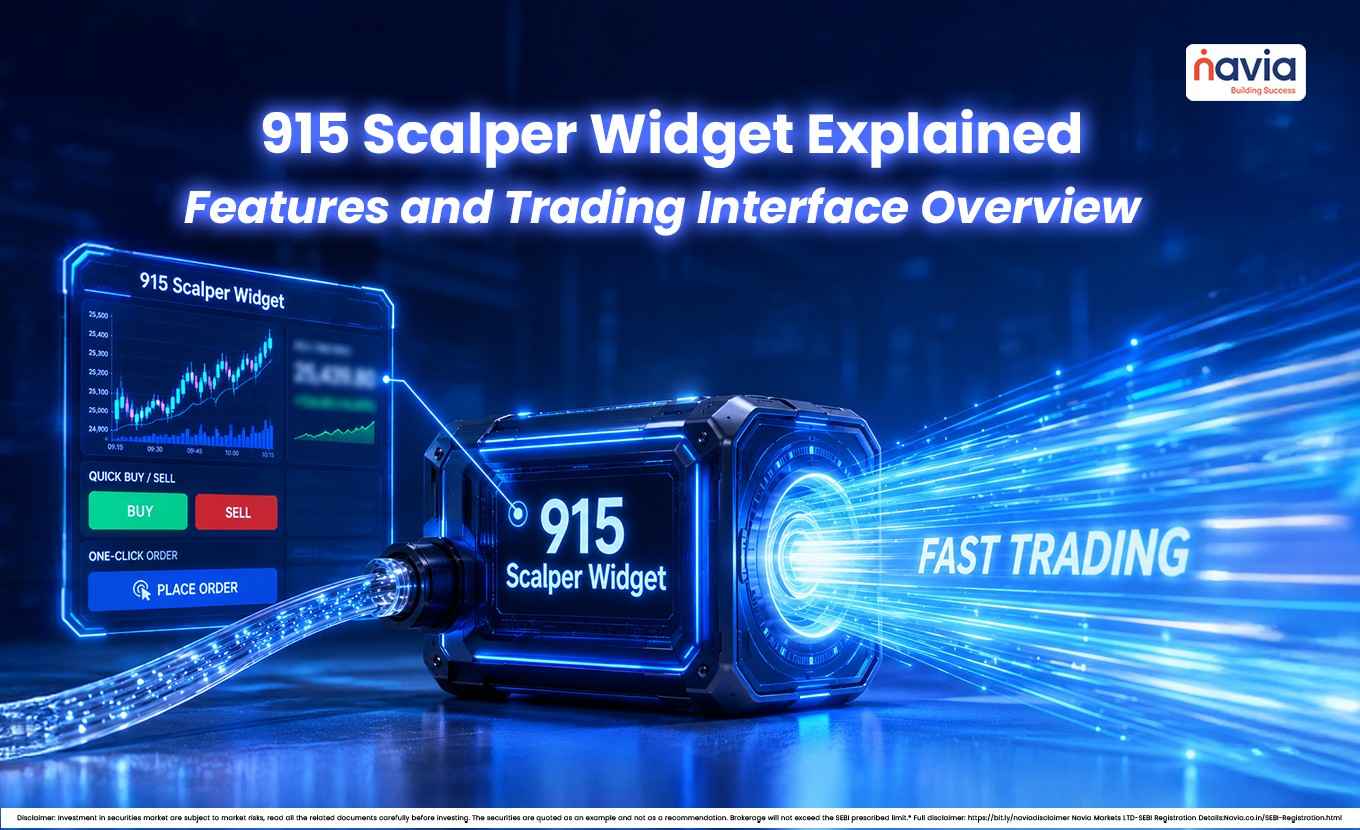
The 915 Scalper Widget is built for traders who want an alternative interface for placing and managing trades on a fast-moving screen. It is designed around speed, chart-based action, and keyboard-first execution, which makes it commonly used by active options of traders who focus on short-term moves.
If you are searching for a simple explanation of what is 915 scalper widget, think of it as a streamlined trading interface inside 915 that provides a compact trading interface with integrated order management features. The feature is closely tied to the 915 scalping strategy, where short-duration trade management, and close tracking matter most.
💡 Quick Answer
The 915 Scalper Widget is a compact, chart-based trading interface built for fast intraday and options scalping. It brings charting, one-click and keyboard order entry, on-chart stop-loss and target placement, and live profit-and-loss and position tracking into a single panel — so active traders can enter, manage and exit trades quickly without switching screens.
What Is the 915 Scalper Widget?
The 915 Scalper Widget is a dedicated scalping interface that lets traders view charts and place orders in a more compact, action-focused format. Instead of moving between multiple windows, it aims to keep the key trading actions in one place so that trading actions are available within a single interface.
This matters because scalping is all about small price moves, active monitoring, and tight risk control. The widget supports that style by helping traders act directly from the chart and manage positions through a consolidated interface.
Where It Fits in the 915 Platform?
In a standard trading setup, a trader monitors a chart in one window, places orders through a separate order form, and checks positions in a third panel. The Scalper Widget collapses this workflow into one panel – keeping everything visible and actionable without toggling screens.
Scalper Widget = Chart View + Order Entry + Position Tracker + Risk Controls (all in one panel)
Key Features of the 915 Scalper Widget
| Features | What It Does | Why It Matters for Scalpers |
|---|---|---|
| One-Click Order Placement | Place buy/sell/exit orders directly from the chart without opening a separate order window | Eliminates 2–3 click delay; critical in fast-moving options markets |
| Keyboard-First Execution | Hotkeys for buy, sell, square-off, and bracket order actions | Reduces mouse dependency; enables sub-second order entry |
| On-Chart Stop-Loss & Target | Drag stop-loss and target levels visually on the chart; modify without reopening order dialog | Visual risk management; fewer errors from manual price entry |
| Real-Time P&L Visibility | Live unrealised P&L displayed per position directly in the widget | Instant awareness of trade status without switching to positions tab |
| Call, Put & Spot Views | Switch between call, put, and underlying spot chart within the same widget | Monitor options payoff and underlying movement simultaneously |
| Integrated Position Tracker | Open positions displayed inline with the chart interface | Tracks multiple legs without navigating away from the trade screen |
| Compact Layout | All trading functions in a single consolidated panel | Reduces screen clutter; ideal for multi-monitor or single-screen setups |
These features are designed for traders who monitor price action closely while making quick decisions. The widget reduces switching between screens and keeps multiple trading functions within one interface.
Common Workflows Associated with Short-Term Trading
Core Parameters of the 915 Scalping Strategy
| Parameter | Typical Value / Rule | Rationale |
|---|---|---|
| Trade Duration | Seconds to minutes (typically < 15 min) | Position held only as long as the thesis is active |
| Entry Trigger | Price action signal, breakout, or level test | Chart-based; no reliance on delayed indicators |
| Stop-Loss Type | Hard SL — pre-set before entry | Non-negotiable; never moved wider after entry |
| Target | Fixed R:R (typically 1:1 to 1:2) | Exit discipline prevents giving back gains |
| Position Size | Fixed lots per trade; not scaled by conviction | Consistent risk per trade regardless of confidence |
| Re-entry Rule | Only after fresh signal; no averaging down | Prevents compounding losses on bad setups |
| Strike Selection | ATM or near-ATM options (high delta) | Faster response to underlying price movement |
| Max Trades Per Day | Pre-defined limit (e.g. 5–10) | Prevents overtrading during choppy markets |
Why Do These Parameters Require a Dedicated Widget?
A scalping strategy with trade durations under 15 minutes and hard stop-losses cannot afford the execution drag of a standard interface. Every parameter in the table above creates a specific interface requirement:
- Short trade duration: Some active traders prefer instant order entry and exit — one-click and keyboard shortcuts
- Hard stop-loss: Some traders choose visual stop-loss placement before or immediately after entry — on-chart drag
- Fixed R:R target: Requires instant target setting — on-chart line placement
- ATM strike focus: Requires quick switching between call and put charts — C/P shortcuts
- Max trade limit: Requires real-time P&L visibility to know when to stop — inline tracker

Who Should Use the 915 Scalper Widget?
Trader Profile Fit Assessment
| Trader Profile | Trader Profile | Reasoning |
|---|---|---|
| Intraday F&O Scalper | High | Core use case; built for this profile |
| Options Day Trader (ATM) | High | Benefits from quick strike switching and on-chart SL |
| Index Futures Scalper | Medium | Useful for execution speed; may not need multi-strike view |
| Swing Trader (2–5 days) | Low | Widget speed unnecessary; standard interface sufficient |
| Long-Term Investor | Not Relevant | Not designed for this style |
| Algo Trader (API-based) | Low | Manual widget redundant if API handles execution |
| Beginner / Learning Trader | Low | Speed-first interface may add complexity before basics are solid |
Skill Prerequisites Before Using the Widget
Speed alone does not create profitable scalping. Users often familiarize themselves with the following concepts before using advanced trading interfaces.
- Understanding of options Greeks: Delta is especially important — At-the-Money (ATM) options behave differently from Out-of-the-Money (OTM) in fast markets
- Defined pre-trade risk rules: SL level, target, and max loss per day must be decided before the session, not during it
- Familiarity with order types: Market vs limit vs stop-limit; knowing when to use each type prevents costly fills
- Platform familiarity: Practice with the widget in simulation mode before using live capital
Conclusion
The 915 Scalper Widget is a chart-based trading interface built for active traders who want to act quickly and manage trades through an integrated interface. If you were asking what is 915 scalper widget, the answer is that it is a chart-based scalping tool designed to support quick order placement, on-chart risk management, and keyboard-driven execution.
Its connection to the 915 scalping strategy is prefer chart-based order management and keyboard shortcuts: it is made for traders in short-term trading. It is designed for users who prefer chart-based order management and keyboard-driven workflows.
Key Takeaways
- The 915 Scalper Widget combines chart, order entry, position tracking and risk controls in one panel.
- It is built for speed: one-click orders, keyboard shortcuts and on-chart stop-loss and target placement.
- Live profit-and-loss and an inline position tracker let traders act without switching screens.
- It fits intraday and options (ATM) scalpers most; swing traders and long-term investors need it least.
- Fast execution does not replace skill — options Greeks, order types and pre-set risk rules still matter.
- Practising in a simulation mode before using live capital is recommended.
Did you find this article helpful?
Your feedback helps us write better content.

FAQ
What is 915 Scalper Widget?
It is a chart-based trading interface in 915 designed for scalping and quick trade management.
What are 915 scalper widgets used for?
It is used to place, modify, and exit trades quickly from a chart-based setup.
What is the 915-scalping strategy?
It is a short-term trading approach that focuses on quick entries, quick exits, and small price moves.
Can traders use keyboard shortcuts in the widget?
Yes, the widget is built with keyboard-first trading in mind.
Who may use the Scalper Widget?
It may suit active F&O traders and scalpers who want faster execution and tighter control.
DISCLAIMER: Investment in securities market are subject to market risks, read all the related documents carefully before investing. The securities quoted are exemplary and are not recommendatory. Full disclaimer: https://bit.ly/naviadisclaimer.